"BIOS" and "UEFI" get used interchangeably, and neither failure mode is what most people assume. A black screen after an update, a boot loop, or a system that won't POST can come from corrupted firmware — or from RAM, power, EC, or motherboard faults that only look like a BIOS problem.
Don't repeatedly power-cycle the machine or reflash with a different or "similar" file. Note whether it died during the flash or on the reboot after, then check for a built-in recovery mechanism for your exact model.
Start with the event history, then establish whether the platform reaches any part of POST. If an OEM recovery method is available, use the exact model-specific procedure. If recovery cannot run or fails, separate firmware symptoms from power, memory, EC, CPU, PCH/SoC and other board-level faults before attempting direct chip programming.
Failed update → OEM recovery check → POST/hardware diagnosis → verify firmware path → preserve original data → professional SPI recovery when appropriate → POST and stability testing.
BIOS vs UEFI vs Firmware
They do the same fundamental job, but the differences matter for recovery.
Addressing & Partitioning
Legacy BIOS runs in 16-bit mode and commonly pairs with MBR partitioning, whose traditional addressing limit is about 2 TiB. UEFI runs in 32-bit or 64-bit mode and commonly pairs with GPT, which removes that limit.
Storage — Firmware ≠ ESP ≠ OS
UEFI firmware lives in the motherboard's flash chip, same as legacy BIOS. What's different: UEFI requires an EFI System Partition (ESP) holding bootloader .efi files, plus boot-order data kept in firmware NVRAM variables.
Interface & Security
BIOS is keyboard-only and text-menu driven. UEFI typically offers a graphical interface and introduced Secure Boot, which validates boot-software signatures before running them.
Where the Industry Stands
Intel phased out legacy BIOS support starting around 2020, and Windows 11 requires UEFI with Secure Boot. "BIOS" remains the informal catch-all term most people use even on UEFI machines.
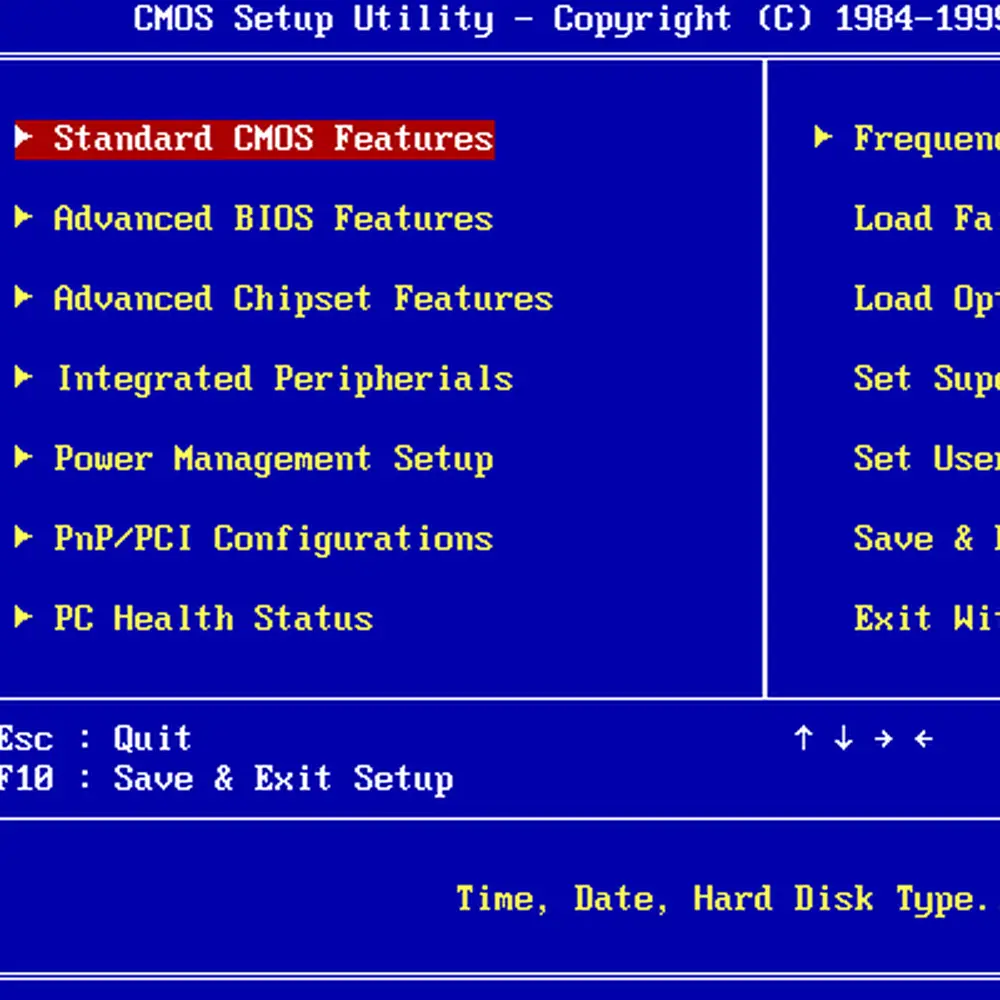
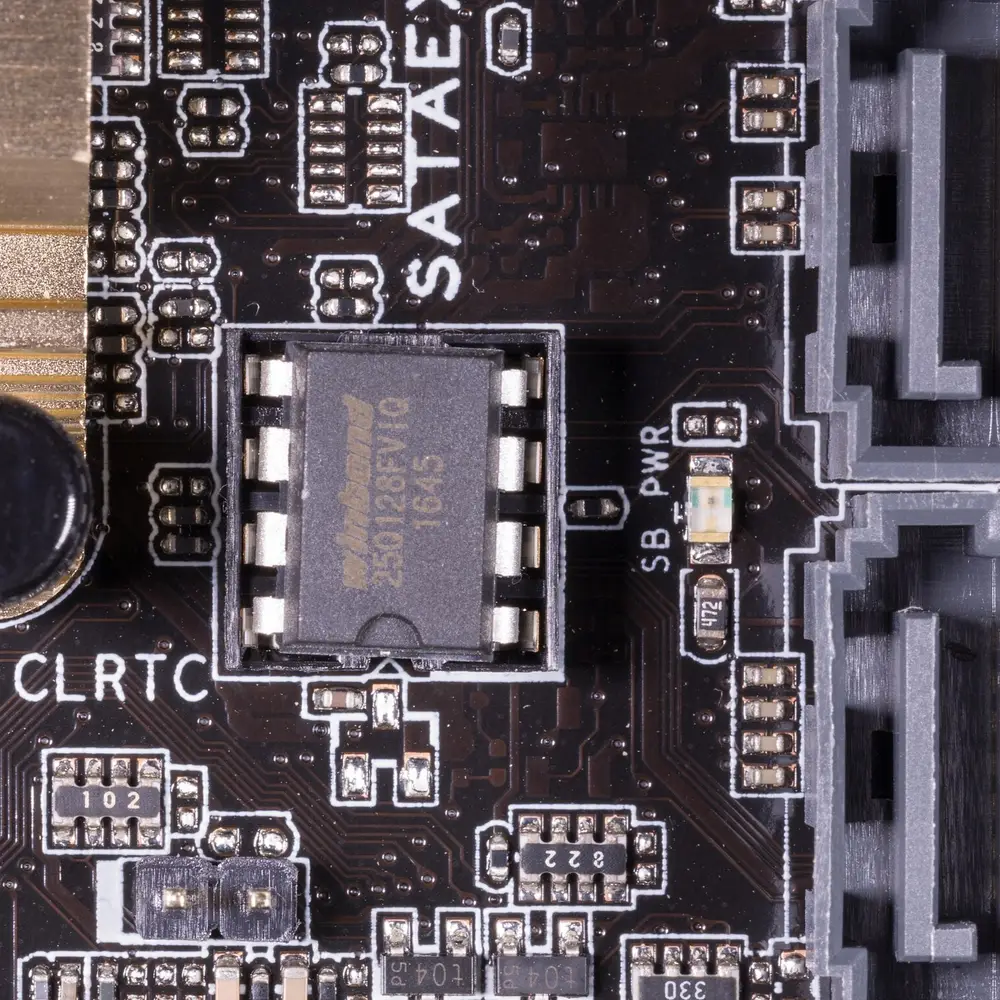
Legacy text-based BIOS menu interface.Dedicated SPI Flash BIOS chip on board.Photo: Tobias Maier (CC BY-SA 3.0)
How BIOS/UEFI Boot Actually Works
Power On → Platform Firmware Initializes → Hardware / POST → UEFI Boot Manager Reads NVRAM Boot Variables → Boot Manager Loads an .efi Bootloader from the ESP → Bootloader Hands Off to the Operating System
Firmware, the ESP, and the operating system live in three separate places. Most "is this a BIOS problem?" confusion traces back to blurring those three together. If the machine has no lights or no response at all, start with our Laptop Won't Turn On guide instead; that path classifies the external power and no-power symptoms before firmware recovery is considered.
"POST" (Power-On Self-Test) is the diagnostic sequence firmware runs before handing off to the OS. A POST failure can be caused by firmware — or by hardware. See BIOS Corruption vs Hardware Failure below.
Before You Flash
BIOS/UEFI Updates: When to Update, When Not To
Generally Makes Sense to Update
Release notes describe a fix for a symptom you actually have
You're installing new hardware that needs updated firmware support
Often Better to Leave Alone
The system is stable with no symptom the update claims to fix
You'd be jumping several versions at once — check if step updates are required
You're on battery or unstable power, where an interruption is the real risk
When a BIOS Update Fails — Immediate Response
An interruption during the flash — power loss, forced shutdown, a crash mid-write — is the most common cause of firmware corruption.
Don't repeatedly power-cycle the machine
Don't immediately reflash with a different or "similar" file
Note whether it died during the flash or on the reboot after
Check for a built-in automatic recovery mechanism for your exact model first
Diagnostic Symptoms
10 BIOS/UEFI Corruption Warning Signs
These symptoms become more meaningful when several occur together, particularly after a failed firmware update.
01
Sign 01
Complete Black Screen After Power-On
The system powers on, fans spin or LEDs illuminate, but there is no display output and the machine never reaches a usable POST screen.
Fans start immediately and may remain at high speed
Caps Lock or Num Lock may not respond normally
External display also shows no signal
Especially significant right after a BIOS update
02
Sign 02Pay attention
The System Died During a BIOS Update
The computer stopped responding, restarted, or lost power while firmware was actively being written.
The update progress was interrupted
The system froze during a manufacturer firmware package
The machine rebooted and never completed POST afterward
One of the strongest clues for possible firmware corruption
03
Sign 03Pay attention
Endless Power-Cycle Loop
The machine repeatedly powers on, shuts down after a few seconds, and automatically starts again.
The cycle repeats without user input
Can occur after an incompatible firmware update
Memory-training failures can look almost identical
Power, EC, ME, CPU, RAM and motherboard faults must also be considered
04
Sign 04
Emergency Recovery Does Not Respond
The correct manufacturer recovery procedure is attempted, but there is no visible recovery activity.
The recovery USB shows no obvious activity
The correct key combination has been verified for the exact model
The system does not progress toward recovery
Professional diagnosis may be appropriate next
05
Sign 05
Diagnostic Beeps or LED Blink Codes
Instead of reaching POST, the motherboard produces a repeatable beep or LED diagnostic pattern.
Codes vary by manufacturer and model
Can indicate RAM, CPU, display, firmware or other hardware problems
Compare the pattern with the exact manufacturer's documentation
Do not assume every code means BIOS corruption
06
Sign 06
POST Failure Without a Hardware Change
The computer previously worked normally and suddenly stops reaching POST without a new component or obvious event.
No RAM, SSD or CPU change preceded the failure
A firmware update may have occurred shortly beforehand
CMOS configuration problems can sometimes mimic firmware failure
Power and motherboard faults still need to be ruled out
07
Sign 07
EC / Firmware Synchronization Problems
The main firmware and embedded controller or Super I/O firmware do not behave correctly together.
Power button behavior becomes abnormal
Keyboard backlight or fan behavior may be unusual
Some laptops use multiple firmware-controlled devices
Recovery may require more than rewriting the main SPI image
08
Sign 08
No USB Initialization or Activity
USB devices show no expected initialization or activity during startup.
A USB recovery drive may not show activity
USB behavior varies significantly between motherboard designs
Physical USB power faults can produce similar symptoms
Treat this as supporting evidence, not proof of BIOS corruption
09
Sign 09
Fans Immediately Run at Maximum Speed
Cooling fans jump to maximum RPM immediately after power-on and never transition to normal control.
The system may not be completing firmware initialization
Firmware configuration can affect fan-control behavior
EC, sensor, power and motherboard faults can produce the same symptom
More suspicious when it follows a failed firmware update
10
Sign 10
BIOS / UEFI Setup Freezes
The system occasionally reaches the firmware setup screen but freezes before settings can be used normally.
Keyboard input stops responding
The machine freezes before operating-system boot
NVRAM or firmware configuration corruption is one possible cause
Hardware instability must still be ruled out
Critical Distinction
BIOS Corruption vs Hardware Failure
A computer that refuses to POST is not automatically suffering from corrupted firmware.
Verifying standby rails (3.3V / 5V) and memory power with a multimeter before diagnosing corrupted firmware.
Possible Firmware Corruption
The physical flash device may be healthy while the firmware data stored on it is incomplete, invalid or incompatible.
Typical recovery path
Verify the platform → preserve board-specific data → use the correct recovery image → program the firmware device → verify POST.
Possible Hardware Failure
The firmware may be completely healthy while a failed power rail, RAM, CPU, PCH, VRM, EC or another component prevents initialization.
Typical recovery path
Board diagnostics → power-rail testing → component isolation → repair or replacement where appropriate.
CMOS Reset vs NVRAM Reset vs BIOS Recovery
Three different operations that get conflated constantly.
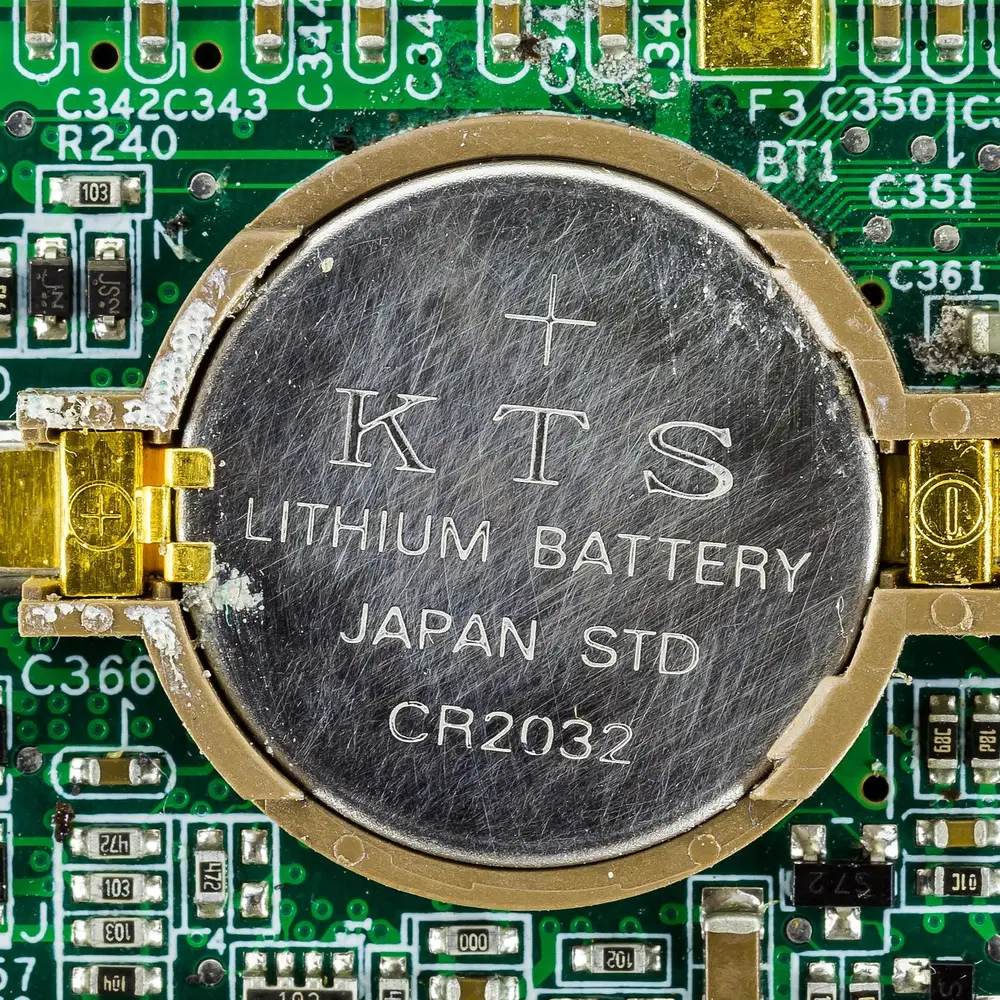
CR2032 CMOS battery maintains clock & user configurations, not core BIOS firmware.Photo: Raimond Spekking (CC BY-SA 4.0)
CMOS Reset
Clears stored settings — boot order, overclock profiles, fan curves. Does not touch the firmware code and will not fix genuine corruption.
NVRAM / PRAM Reset (Mac)
Similarly clears certain stored settings, not the firmware code itself.
BIOS/UEFI Recovery
Rewrites the actual firmware program on the flash chip — what's needed for genuine corruption.
A settings reset is worth trying first for boot-order confusion or overclock instability — harmless and fast — but it's not a substitute for firmware recovery when the firmware itself is the problem.
Check These Things Before Assuming the BIOS Is Corrupted
1
Perform a proper power reset
Disconnect AC power and, where the manufacturer permits it, disconnect the internal battery. Follow the model-specific service procedure rather than blindly opening the machine.
2
Test the minimum hardware configuration
Remove unnecessary USB devices and external peripherals. If accessible, test known-good RAM using the manufacturer-approved configuration.
3
Record diagnostic codes
Document beep patterns, keyboard LEDs, power LEDs and screen behavior before changing hardware.
4
Inspect for physical damage
Liquid residue, corrosion, burnt components, damaged connectors or a failed power rail can mimic a firmware failure.
Before Recovery
What to Record Before BIOS Recovery
The more precisely the platform is identified, the lower the risk of using the wrong recovery image or overlooking a hardware fault. If the machine is still accessible, collect these details before making more changes.
1
Exact Model & Platform Identifier
Locate the exact model and sub-model (e.g., HP EliteBook 830 G6, not just "HP EliteBook"). Motherboard revision numbers are even better if the chassis is already open.
2
The Exact Failure Sequence
Note whether the machine lost power during an active flash progress bar, or if it completed the flash and simply never reached POST on the subsequent reboot.
3
Diagnostic LED & Beep Patterns
Count any blinking Caps Lock/Num Lock LEDs or listen for specific beep sequences immediately upon power-up, before the fans ramp to maximum.
4
BitLocker Key Availability
Confirm whether the Windows drive is encrypted and if the BitLocker recovery key is accessible via a Microsoft account or USB backup.
Important: “Same series” is not the same as “same firmware.” Laptop sub-models, motherboard revisions and regional/platform variants can use different firmware. Treat the exact model identifier as a hard requirement.
Manufacturer Recovery
Recovery Methods Differ by Manufacturer
General orientation only — every procedure is model/generation-dependent and OEMs revise them over time. Always confirm on the manufacturer's current support page before attempting recovery.
Dell
Dell provides BIOS Recovery features on many systems, with the exact recovery source and supported procedure depending on the model and generation. Confirm the current Dell documentation for the exact service tag/model before using a recovery file.
HP notebooks commonly provide BIOS recovery features, but the supported key sequence, file handling and recovery path vary by model. HP Sure Start platforms use a different protected recovery architecture, so do not assume a generic USB/key-combination procedure applies.
Recovery behavior differs meaningfully between ThinkPad, IdeaPad, Legion and other Lenovo families. Always confirm the exact procedure for the specific model on Lenovo’s official support pages.
ASUS boards generally use one of two mechanisms: CrashFree BIOS 3 (automatic recovery from a USB drive) or USB BIOS FlashBack on higher-end boards, which reflashes using standby power alone — no CPU or RAM required.
Acer firmware recovery procedures vary by model and platform generation. Use the manufacturer's model-specific instructions rather than a generic key combination.
Some MSI and Gigabyte desktop boards provide redundant firmware or dedicated flashback/recovery features, but this is not universal. Confirm whether the exact board has Dual BIOS, Flash BIOS Button/Q-Flash Plus, or another recovery mechanism before relying on it.
Apple Silicon and Intel Macs use a fundamentally different architecture — recovery relies on DFU mode with Finder on a second Mac. The exact key sequence varies by chip generation, so always confirm on Apple’s current support page.
"BIOS recovery" gets used loosely to mean three genuinely different operations.
Level
What happens
Typical situation
Normal BIOS/UEFI Update
The manufacturer's own updater tool replaces the firmware from within a working operating system.
Routine update on a working computer.
OEM Built-in BIOS Recovery
A recovery mechanism already present on the board or laptop restores firmware from a local backup copy or a prepared USB drive.
Failed/interrupted update, or firmware corruption, on hardware that has this mechanism.
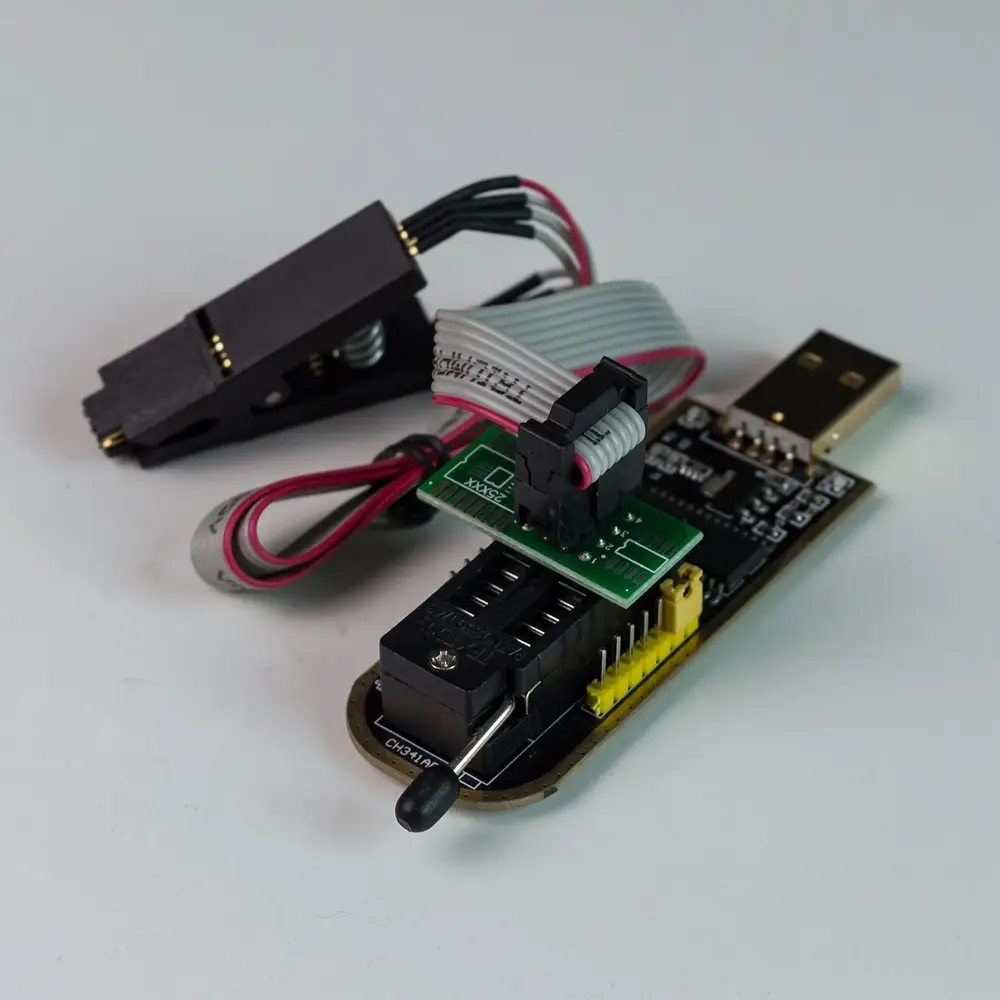
SPI / EEPROM Programming
An external hardware programmer connects directly to the firmware chip and writes it, independent of whether the system can even power on.
The built-in recovery mechanism doesn't exist on that model, has failed, or the board can't reach the point of running it.
This is why professional chip-level repair exists as a separate tier: it's the fallback for cases where every mechanism above it has already been tried or isn't available on that hardware.
Professional Recovery
How SPI / EEPROM BIOS Recovery Works
When the system cannot execute its own recovery process, professional programming hardware can sometimes restore the firmware directly.
STEP 1
Identify the SPI Flash
The relevant firmware storage device is identified, and we determine whether the platform uses one or multiple programmable firmware devices.
STEP 2
Read and Preserve the Original
Where possible, the existing firmware is read and backed up before any write operation. Board-specific information is preserved.
STEP 3
Verify the Correct Firmware
The recovery image must match the exact platform, board revision and firmware architecture. A similar model is not necessarily compatible.
STEP 4
Program the Flash Device
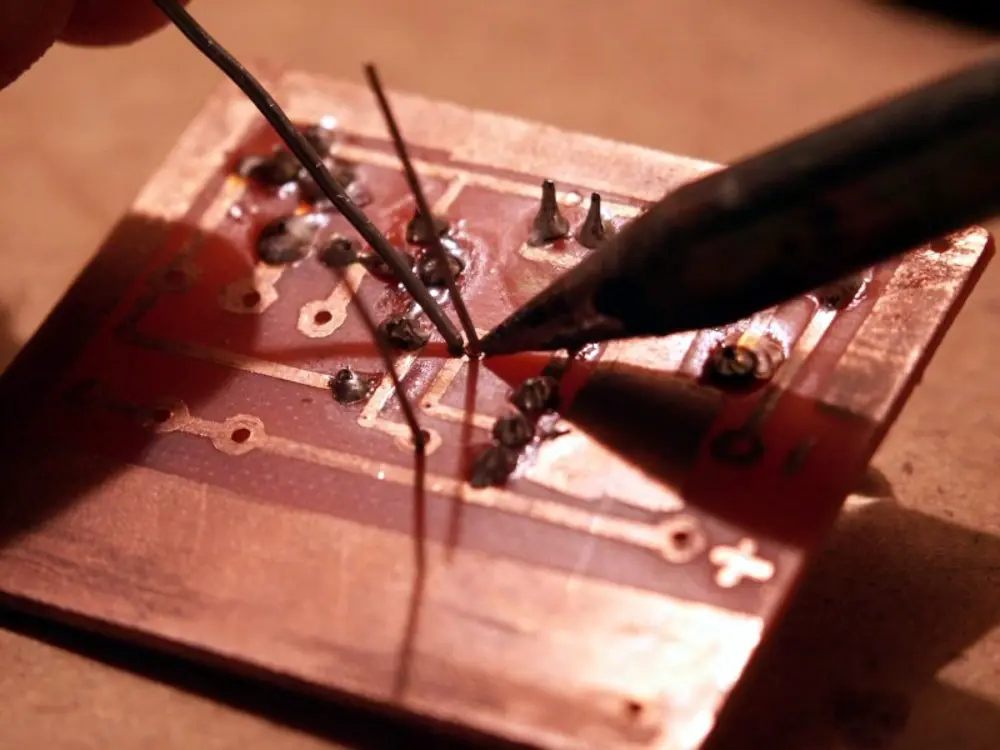
If appropriate, the firmware chip is programmed using professional hardware and a verified image rather than relying on the damaged system.
STEP 5
Verify and Test POST
The board is reassembled as necessary and tested for POST, display output, memory initialization, firmware setup access and stable operation.
External EEPROM programmer with SOIC-8 clip for direct chip reading and writing.Hot-air desoldering and re-soldering of surface-mount SPI Flash chips.
Why the Original Firmware Dump Matters
Modern firmware can contain platform-specific information, configuration data and security-related regions. A professional recovery should preserve relevant original data whenever possible instead of blindly replacing the entire image with a random dump.
Security Layer
Secure Boot, TPM & BitLocker
A common, expected consequence of a routine firmware update — frequently mistaken for a BIOS failure.
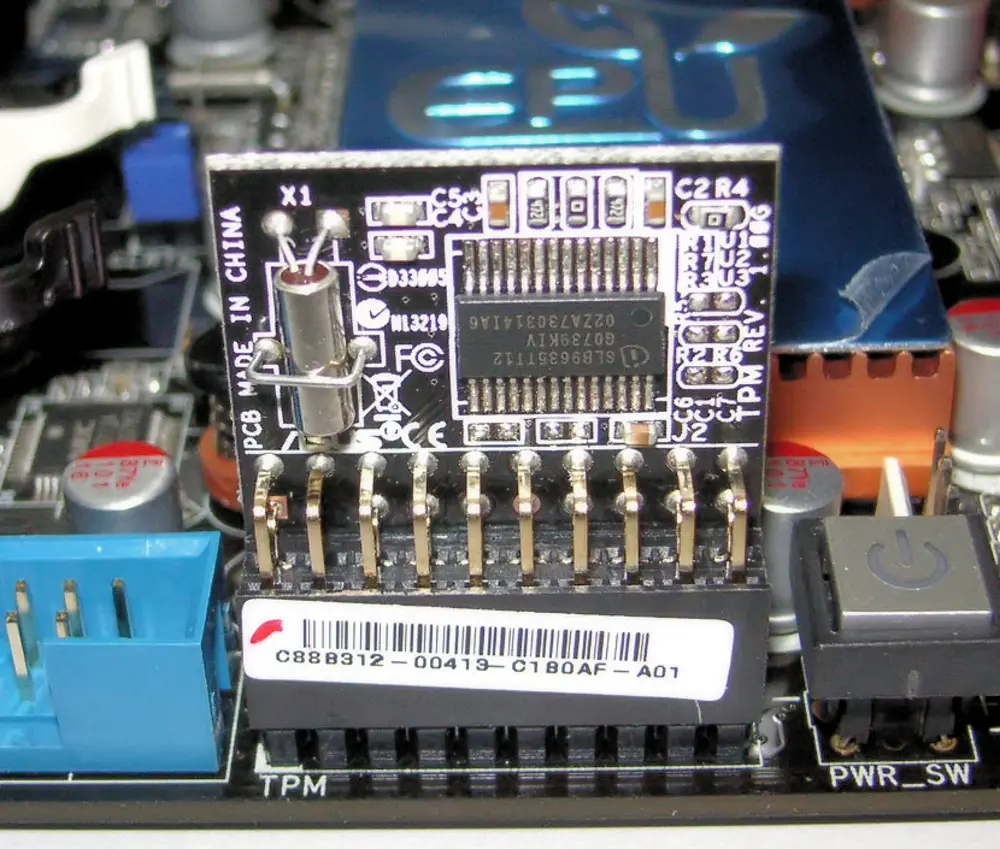
TPM-related security hardware validates the boot chain that BitLocker relies on.
What Happens
BitLocker can bind its unlock key to TPM measurements ("PCR values") of the boot environment. A firmware update changes those measurements — expected, not a malfunction — so the TPM can't silently release the key, and BitLocker asks for the recovery key as a security check.
Why Microsoft Says to Suspend BitLocker First
Suspending BitLocker before a firmware update tells Windows to expect the next boot's measurements to differ, skipping the recovery-key challenge for that transition, then automatically resuming protection.
Practical Guidance
Back up the recovery key and suspend BitLocker before any firmware update on an encrypted machine.
If asked for the key after an update, entering it is expected and safe — not evidence of tampering.
If the key was never saved, that's a data-access problem, not a firmware-repair one — reflashing won't retrieve encrypted data.
After recovery, verify that Secure Boot and TPM settings match the configuration required by Windows and your organization's security policy; do not change them unnecessarily while troubleshooting.
Boards and laptops report early boot failures — before there's any video output — through beep patterns, blinking LEDs (often Caps Lock/Num Lock, or dedicated debug LEDs), or two-digit POST code displays. These are manufacturer- and often model-specific: the same pattern can mean something different on different brands, so always check the exact model's documentation rather than a generic chart. What's consistent is the category flagged — memory, CPU, GPU/display, or a general boot-device/firmware failure — worth noting for a technician even without decoding the exact meaning yourself.
Data Safety During Firmware Recovery
A firmware-chip reprogramming operation does not inherently erase the contents of the storage drive. The firmware storage and the SSD/HDD are normally separate storage devices. A proper SPI/EEPROM reflash targets the firmware device, but a technician should still confirm the exact recovery procedure and avoid any separate “factory restore” or OS-reinstallation step unless it is required and authorized.
Two real, avoidable risks exist alongside recovery work:
An update can trigger a BitLocker/FileVault recovery-key prompt — data isn't at risk, but becomes inaccessible without the key.
A technician mishandling the drive during physical disassembly is a handling risk, not a firmware-recovery risk — ask what precautions are taken.
DIY vs Professional Recovery
DIY Is Reasonable When
The manufacturer's own built-in/automatic recovery mechanism for your exact model hasn't been tried yet, or a documented USB-recovery process exists and you can source the correct file from the OEM.
Professional Help Is Safer When
Built-in recovery has been correctly attempted and failed, the board has no such mechanism, physical board access or desoldering is required, or you're not confident telling "firmware problem" from "hardware problem."
What NOT to Do After a Failed BIOS Flash
Flash a BIOS from a similar-looking model or different motherboard revision
Repeatedly force power cycles while a firmware recovery operation is running
Download random BIOS dumps from unverified websites
Overwrite the original firmware dump before preserving board-specific data
Assume a black screen automatically means BIOS corruption
Connect an SPI programmer without verifying the flash-chip voltage and pinout
Attempt motherboard EEPROM desoldering with unsuitable tools or without ESD protection
Modify the Intel ME, EC or other firmware regions without understanding the exact platform requirements
Repair Evidence
Why Diagnosis Matters Before Chip-Level Work
A dead or non-booting machine can have a motherboard fault that looks like firmware corruption. KCROC documents component-level board diagnosis separately so firmware recovery is not used as a guess.
A straightforward firmware reprogramming job can often be completed the same day. Cases involving board-level diagnosis, multiple firmware devices, EC firmware, or a genuine hardware fault take longer. See Pricing for current figures.
Kuwait Practical Guidance
BIOS Update Precautions for Kuwait
The firmware itself is not “more fragile” because a computer is in Kuwait, but the conditions around the update still matter. A firmware write should be treated as a controlled operation, especially when the machine is exposed to unstable power, battery limitations or thermal stress.
Stable power
Use reliable AC power and follow the manufacturer’s battery/charger requirements. Avoid starting a firmware update when power interruption is a realistic risk.
Thermal stability
Do not update a machine that is already shutting down from overheating or has a known cooling fault. Fix the stability problem first.
No unnecessary changes
Do not combine a firmware update with random BIOS settings, RAM swaps or multiple firmware files. Change one variable at a time so the failure remains diagnosable.
BIOS & Motherboard Recovery in Kuwait
Laptop or Motherboard Stopped Booting After a BIOS Update?
Don't keep trying random firmware files. KCROC can diagnose whether the failure is firmware-related or caused by a physical motherboard fault, then determine whether professional BIOS programming is appropriate.
Open the question that matches your problem. The detailed guidance above remains available if you want the full explanation.
Can a laptop that was bricked by a BIOS update be repaired?
Often, yes. If the flash device and the underlying board are healthy, OEM recovery or direct firmware reprogramming can restore a system that no longer reaches POST. The important qualification is that “bricked” describes the symptom, not the diagnosis: RAM training, power rails, EC firmware, CPU/SoC, PCH and other motherboard faults can produce the same black-screen or reboot-loop behavior.
Does a failed BIOS update always mean the BIOS chip is damaged?
No. The chip can be electrically healthy while the firmware data stored on it is incomplete, invalid or incompatible. Conversely, a machine that failed after an update may have a hardware fault that appeared at the same time. A failed update is a strong clue, not proof that the flash chip itself has failed.
Can you recover BIOS using an EEPROM or SPI programmer?
In appropriate cases, yes. A technician can identify the firmware device, verify its voltage and architecture, read the existing contents when possible, preserve board-specific information and program a verified image. Direct programming is a repair technique, not a universal first step; the correct board, chip and firmware image must be established first.
Will BIOS reprogramming erase my serial number?
It can if the wrong image or an unsuitable full-image replacement overwrites board-specific regions. Depending on the platform, firmware can contain DMI/SMBIOS data, network identifiers, platform configuration or other device-specific information. Professional recovery should preserve relevant original data whenever possible rather than treating the firmware chip as a generic blank ROM.
Should I keep trying different BIOS files if the laptop is not booting?
No. Repeatedly writing unverified files can make the original state harder to reconstruct and can introduce a second problem. Stop, record the exact model and failure sequence, then use the manufacturer’s current recovery instructions for that exact platform. If OEM recovery fails, diagnosis should determine whether the next step is firmware programming or board repair.
How long does BIOS recovery take?
A straightforward firmware reprogramming job can sometimes be completed the same day once the correct image and board condition are confirmed. Cases involving board-level diagnosis, multiple firmware devices, EC firmware, damaged flash hardware or an underlying power/logic fault can take longer because the firmware is only one part of the boot chain.
What's the difference between updating BIOS and recovering BIOS?
A BIOS/UEFI update is an intentional installation of newer firmware on a functioning platform. Recovery is restoration after firmware or firmware configuration has become unusable. Recovery may use an OEM emergency mechanism or, when supported and appropriate, direct SPI/EEPROM programming.
Does resetting CMOS fix a corrupted BIOS?
Usually no. A CMOS reset clears configuration state such as boot order, overclocking or other stored settings; it does not normally rewrite the main firmware image. It can help when a bad setting prevents startup, but genuine firmware corruption requires an appropriate recovery process.
Why is Windows asking for a BitLocker recovery key after a BIOS update?
A firmware update can change the measured boot environment that BitLocker uses with the TPM. If those measurements change unexpectedly from BitLocker’s point of view, Windows can request the recovery key as a security check. That prompt does not by itself prove that the firmware update failed or that the drive is damaged.
Can a failed BIOS update damage my hard drive or files?
A firmware update normally targets firmware storage rather than the user data stored on an SSD or HDD, so the update itself does not inherently erase those files. However, recovery workflows can differ: a separate factory-reset or OS-reinstallation step can erase data, and firmware/security changes can affect access to encrypted storage. Confirm exactly which operation is being performed and keep the required recovery credentials available.
Is it safe to use a BIOS file from a different but similar laptop model?
No. “Similar” is not an adequate compatibility test. Firmware can depend on the exact model, motherboard revision, platform controller configuration, display/power design and regional variant. Use the manufacturer’s file for the exact supported model and follow any documented version-order requirements.
My laptop has HP Sure Start — what do I do if it still won't boot?
Do not assume a generic HP USB/key-combination recovery method applies. Sure Start uses protected firmware recovery mechanisms that differ from ordinary manual recovery. If the platform still fails to boot after the documented automatic recovery behavior, the next step is diagnosis of the firmware path and the underlying hardware rather than repeatedly writing unrelated BIOS files.
What are POST codes and beep codes, and do I need to know mine?
They are early-boot diagnostic signals generated before or around POST. You do not need to decode them yourself, but recording the exact number and pattern can save diagnostic time. Always use the documentation for the exact motherboard or laptop model because the same pattern can mean different things across manufacturers and generations.
Does every motherboard have a backup BIOS chip?
No. Some desktop boards provide redundant firmware chips or a flashback mechanism, but many do not, and most laptops do not have a user-accessible dual-BIOS arrangement. Never assume a second chip exists simply because a board is high-end; verify the exact board documentation.
Can a Mac's firmware be 'flashed' like a PC's BIOS?
Not in the same consumer-facing way. Modern Macs use Apple-specific firmware and recovery architecture, and supported recovery can involve macOS Recovery, Apple Configurator and DFU procedures depending on the model. Treat Mac firmware recovery as a platform-specific process rather than applying PC SPI-flashing instructions blindly.
Is BIOS/UEFI firmware a security risk?
Firmware is part of the trusted computing base, so compromise can be serious. That is why modern platforms use signed firmware packages, protected update paths, Secure Boot, TPM measurements and other controls. The practical lesson is to obtain firmware from the manufacturer or a trusted service workflow and avoid unverified firmware dumps.
Can a BIOS update cause BitLocker to ask for recovery even when the update succeeded?
Yes. A successful firmware update can legitimately change measured-boot values enough to trigger BitLocker recovery. If the system then boots normally after the recovery key is entered, that points toward a security-state change rather than a failed BIOS flash.
What should I collect before taking a bricked laptop to a technician?
Provide the exact model number, the firmware version if known, what happened immediately before the failure, whether the machine lost power during flashing, any beep/LED/POST codes, and whether the SSD was ever encrypted with BitLocker or another full-disk encryption system. If you still have the original firmware package, keep it rather than downloading several alternatives.
Think Your BIOS Is Corrupted?
Let a technician determine whether you're dealing with firmware corruption, memory training, power failure or another motherboard fault.
Last reviewed: October 5, 2026 by Imran Natiq, Hardware Repair Engineer, KCROC. Manufacturer-specific procedures (key combinations, file names, supported models) change over time — always confirm current steps on the manufacturer's own support page before attempting recovery.