1
Test with an external keyboard
Plug in a USB keyboard. If it works normally, the laptop's own keyboard or its connection is at fault. If it also misbehaves, the problem is more likely software or the board.
Specific keys (often in a diagonal line) stop working, the entire keyboard is dead, or keys are typing multiple characters at once. Sometimes accompanied by a continuously pressing "ghost" key.
When some keys stop working, or the whole keyboard goes dead, the cause is usually a liquid spill, a damaged ribbon cable, a worn keyboard assembly or something pushing up from underneath, such as a swollen battery. The pattern of dead keys often tells us where to look first, so note which keys fail before you contact us.
Start here
People often use the same phrase for a dead laptop, a black screen and a Windows boot failure. Choosing the correct path prevents unnecessary parts replacement.
External keyboard works, built-in keys do not
The built-in keyboard or its ribbon cable has failed and usually needs replacing.
Keys fail only in Windows
Check drivers and settings first. Hardware is less likely.
Keys type repeatedly or by themselves
Liquid residue or a damaged membrane is likely. Stop using the keyboard.
Keyboard bulges or the trackpad lifts
Possible swollen battery. Stop using and charging it, and contact us.
Safe troubleshooting
Plug in a USB keyboard. If it works normally, the laptop's own keyboard or its connection is at fault. If it also misbehaves, the problem is more likely software or the board.
Restart and press the key to open the BIOS or boot menu. If the keys respond there but not in Windows, a driver or software setting is the cause.
A diagonal line of dead keys or a block of keys often points to a damaged track. A completely dead keyboard often points to the ribbon cable or its connector.
If the trackpad is lifting, the case does not sit flat or the keyboard bulges, stop using the laptop. A swollen battery can push up against the keyboard.
Even a small spill weeks ago can corrode the tracks under the keyboard. Tell us about it, as it changes what we check.
Root causes
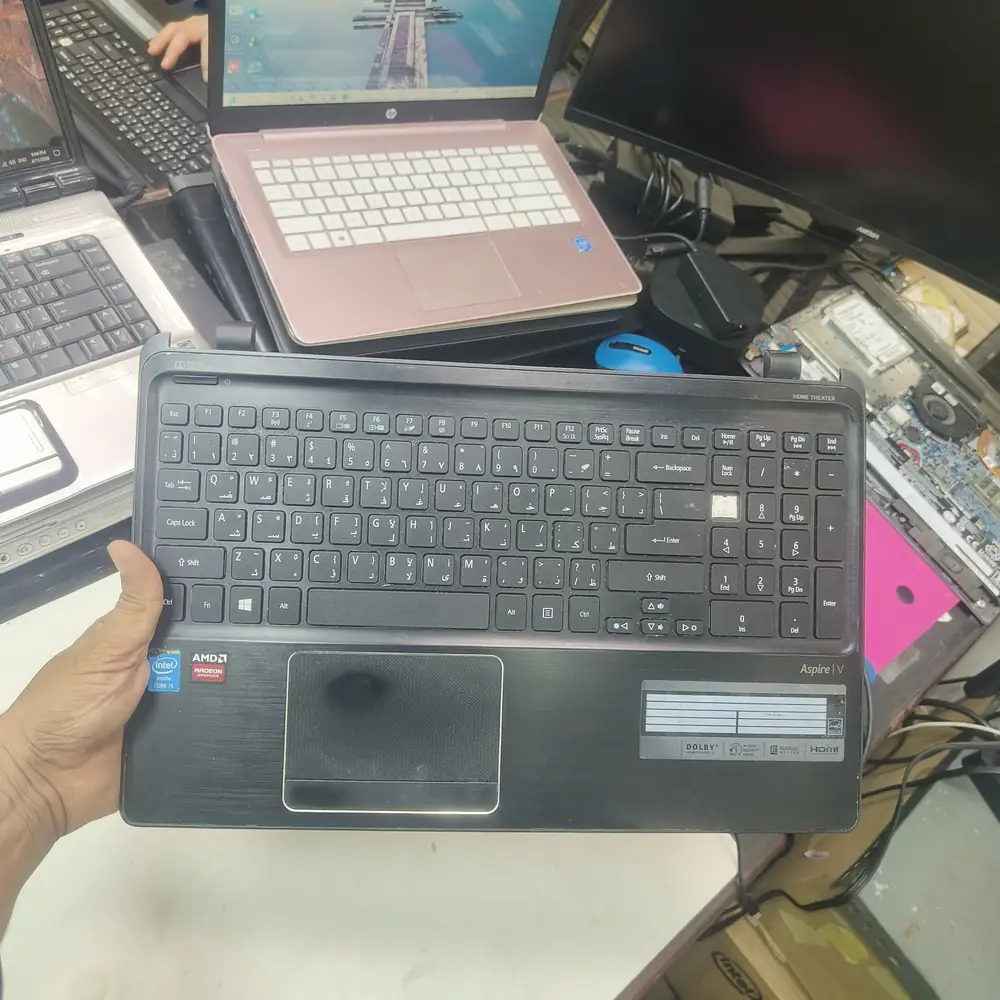
The keyboard and top case assembly removed to check for liquid damage, dust, or a swollen battery underneath.
Do not pry the keys off with a knife or screwdriver to "clean underneath." Modern laptop key hinges (especially MacBooks) are extremely fragile and will snap, requiring a full keyboard replacement anyway.
Inside the lab
When the external power path checks out but the laptop remains dead, the useful question is where power stops progressing through the board—not which expensive part to replace first.
We confirm the fault with an external keyboard and then open the laptop to look for liquid residue, corrosion, a loose ribbon cable and battery swelling.
If the ribbon cable or connector is the problem, we reseat or replace it before replacing the keyboard.
If the keyboard itself has failed, we fit a replacement matched to your model.
If the battery is swollen, we remove it safely and replace it, because it could damage the new keyboard as well.
We test each key before returning the laptop. The repair carries a 30-day warranty.
The KCROC approach
We first check for software/driver issues. If hardware has failed, we replace the entire keyboard assembly. If the battery is swollen and crushing the keyboard, we safely remove the hazard and replace both.
Repair services
Questions customers ask
Sometimes a stuck or dirty key can be freed, but on most laptops a failed key means replacing the keyboard assembly. We check the cause first and explain the option before you approve any work.
On many MacBooks the keyboard is part of the top case, which makes the replacement larger than on a typical Windows laptop. We confirm the scope and the quote after identifying your exact model.
Yes. A USB or Bluetooth keyboard works as a stop-gap, but do not keep using a laptop whose battery looks swollen.
It can. Liquid can reach the board and corrode it over time, so we inspect underneath before we quote. Mention any spill, even an old one.