KCROC — Kuwait Computer Repair On Call

Gaming PC Repair Kuwait

Gaming computer, GPU and performance repair in Kuwait for no power, black screen, GPU artifacts, FPS drops, overheating, crashes, shutdowns and cooling faults.

Gaming PC repair in Kuwait for FPS drops, overheating, crashes, black screen, GPU artifacts and no-power faults. KCROC diagnoses the failure before recommending an expensive part swap. We use thermal imaging, controlled load testing and component-level diagnostics for custom desktops, pre-built gaming PCs, standalone GPUs, liquid-cooled systems and high-performance rigs. We service NVIDIA GeForce RTX and AMD Radeon systems, Ryzen and Intel builds, and major gaming-PC families. Where technically repairable, we repair the failed stage instead of defaulting to a full motherboard or GPU replacement. Free pickup and delivery are available across Kuwait, with a 30-day repair warranty.

Built for: Gaming PC owners, esports players, streamers, content creators, PC builders and professionals who need a real hardware diagnosis for power, display, GPU, FPS, cooling or stability problems.

Repair levelchip level
Typical turnaround24-48 Hours
Warranty30 Days
PricingFrom 25 KWD — Free Diagnostic First
See KCROC repair pricing and starting prices

Before you book

What to know before choosing this repair service

The practical questions customers usually ask about repairability, price, turnaround, pickup, data and technical scope.

Do you repair gaming computers and desktop towers in Kuwait?

Yes. The service covers custom-built gaming PCs, pre-built towers, standalone GPUs and high-performance systems. Kuwait-wide pickup and delivery are available, including full-size desktop towers.

Can you fix a gaming PC with no display or a black screen?

Yes. We separate monitor/cable issues from GPU, VRAM, motherboard, BIOS and power faults, then test the actual failure before quoting repair.

Can you repair GPU artifacting instead of replacing the graphics card?

When the card is technically repairable, the diagnosis can include VRAM, GPU power delivery, board-level faults and solder-related failures before a replacement card is recommended.

Can you fix a gaming PC that keeps shutting down while gaming?

Yes. We test thermal protection, PSU output, motherboard power stages, cooling and sustained-load stability so the cause is not guessed from the symptom alone.

Do you repair gaming PCs in Salmiya, Hawalli, Farwaniya and other Kuwait areas?

Yes. KCROC collects and returns gaming PCs and other computers across Kuwait, so customers do not need to transport a large tower to the Hawalli laboratory themselves.

Can you repair a gaming PC instead of replacing the GPU or motherboard?

That depends on the fault. KCROC diagnoses the GPU, power delivery, cooling and board-level circuits first, then explains whether component repair or replacement is appropriate.

How much does gaming PC repair cost in Kuwait?

Gaming PC repair starts from 25 KWD for the service-level diagnosis/repair path shown on this page; complex GPU, motherboard and cooling work is quoted after diagnosis.

How long does gaming PC repair take?

Typical specialist work is around 24–48 hours when the required parts are available. Complex board-level faults or parts orders may require more time.

Do you collect gaming PCs and towers from my area?

Yes. Pickup and delivery are available Kuwait-wide, including large desktop systems, so you do not need to transport the tower to the Hawalli lab yourself.

Do you repair GPU, VRAM, VRM and BIOS/VBIOS faults?

Yes. The service covers GPU and VRAM diagnosis, motherboard power-stage faults, and BIOS/VBIOS recovery where the hardware is technically repairable.

Can you diagnose FPS drops and overheating?

Yes. The diagnostic path can include GPU/CPU temperatures, hotspot behaviour, fan or pump response, power delivery, memory stability and controlled load testing.

Which gaming brands do you work on?

The service covers custom builds and major gaming hardware families including ASUS ROG, Alienware, MSI, Lenovo Legion, Razer, Gigabyte Aorus and NZXT systems.

Is my data touched during gaming PC repair?

For GPU, motherboard and cooling work, the storage drive is normally not the repair target. Backups are still recommended before any hardware service.

Start with your symptom

What is your gaming PC doing?

Choose the closest symptom. Each path explains the common causes, safe checks and the point at which a repair diagnosis makes more sense than another part swap.

Why Choose Us

Chip-Level Motherboard Repair

We trace and replace individual failed components — a MOSFET, a capacitor, a power stage — instead of writing off the whole board.

GPU VRAM & Chip-Level Repair

Failing VRAM modules and degraded solder joints beneath the GPU die are diagnosed and repaired directly whenever possible, rather than defaulting to a full card replacement.

BGA Micro-Soldering

We perform ball-grid-array rework on GPU and CPU packages under magnification with controlled reflow temperatures.

Thermal Imaging Diagnostics

We use thermal cameras during stress testing to identify exactly which component is overheating, instead of guessing from symptoms alone.

ESD-Safe Laboratory

All work is completed on grounded, static-controlled workstations in our Hawalli lab to protect sensitive GPU and motherboard components.

Premium Thermal Materials

We use branded liquid metal and phase-change thermal materials designed for sustained high-temperature performance, not generic paste.

Advanced BIOS & VBIOS Recovery

Corrupted BIOS or VBIOS firmware from a failed update or power interruption can often be reflashed directly, avoiding a full board or card replacement.

Free Pickup & Delivery, Kuwait-Wide

We collect and return full towers, gaming desktops, and other large systems anywhere in Kuwait at no extra cost.

No Fix, No Fee

If we cannot repair it after diagnosis, you do not pay — not even for the diagnostic.

Transparent Diagnostics

You receive a written explanation of the fault and an itemized quote before any repair work begins.

Gaming PC repair in Kuwait: diagnose the fault before replacing expensive hardware

Gaming systems combine high power draw, dense cooling hardware and sustained load, so the same symptom can come from very different causes. FPS drops can be thermal throttling, a failing fan, unstable memory, a GPU fault, power delivery or software; random shutdowns can point to thermal protection or a power-stage problem.

KCROC checks the system under the workload that exposes the fault. Depending on the device, this can include GPU and CPU temperatures, hotspot behaviour, fan response, power delivery, memory stability, storage health and firmware settings. The objective is to identify the failed layer before recommending a replacement GPU, motherboard or cooling assembly.

For liquid cooling, thermal interface service or board-level GPU/motherboard faults, the quote follows the actual diagnosis. Free pickup and delivery are part of the Kuwait-wide service path, so gaming desktops and laptops do not need to be transported by the customer personally.

What should be repaired first on a gaming PC?

Temperatures rise quickly and performance falls during a sustained game.

Check dust, fan response, thermal interfaces and throttling before blaming the GPU.

Screen artifacts, crashes or driver resets appear under GPU load.

Test the GPU, VRAM behaviour, power delivery and system stability before buying a replacement card.

The PC or gaming laptop shuts down suddenly.

Separate thermal protection, PSU/power-stage faults and motherboard issues with controlled load testing.

AIO or custom-loop temperatures rise unexpectedly.

Inspect pump/fan operation, coolant flow indicators where available, radiator condition and mounting.

The motherboard has a localized power or VRM fault.

Assess component-level repair before defaulting to a full motherboard replacement.

Service Capabilities

Gaming PC Diagnostics

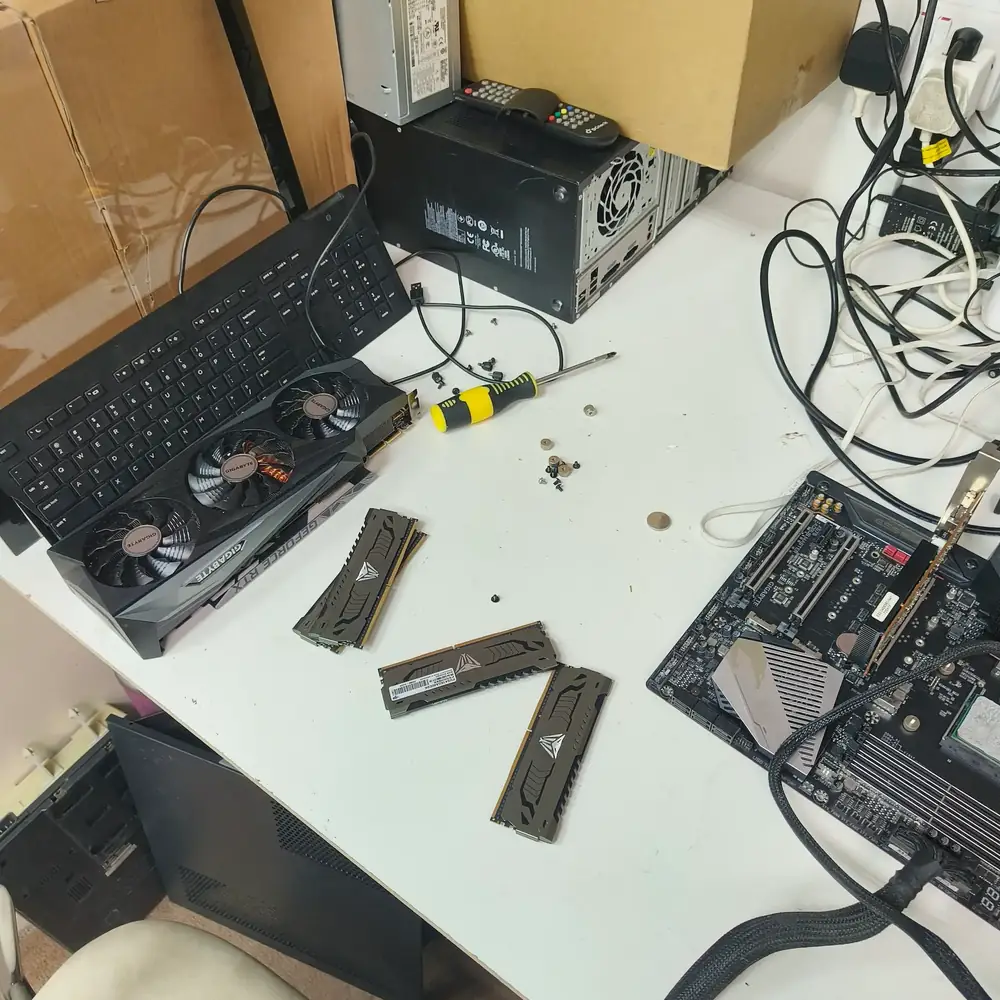
Gaming PC teardown and diagnostics at the workbench to isolate hardware faults.

  • GPU Chip-Level & VRAM Repair
  • Liquid Metal & Phase-Change Thermal Overhauls
  • Custom Loop & AIO Cooler Diagnostics
  • Motherboard Power Stage & VRM Restoration
  • BIOS, VBIOS & Fan Curve Tuning
  • Multi-Hour FPS & Stability Benchmarking

Devices We Cover

Custom Desktop BuildsPre-Built Gaming PCs (Alienware, OMEN)High-End Gaming LaptopsStandalone GPUs (RTX / Radeon RX series)Streaming & Content Creation WorkstationsLiquid-Cooled Custom Loop Systems

Brands We Service

ASUS ROGAlienwareMSICorsairLenovo LegionRazerGigabyte AorusNZXT

Common Problems We Fix

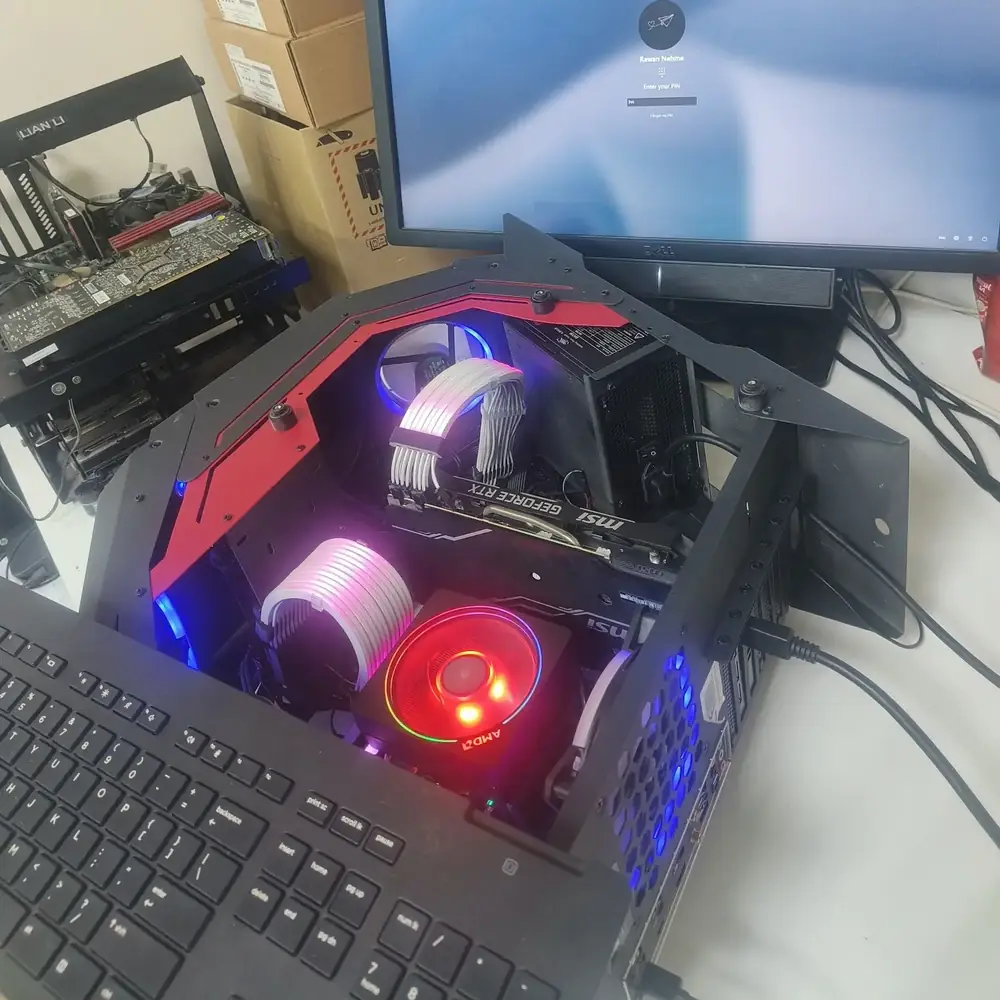
Custom Gaming PC RGB Lighting

A high-performance custom gaming PC representative of the systems we diagnose and repair.

Severe FPS Drops & Thermal Throttling

high

Your frame rate tanks mid-session even though nothing in your setup changed — the system is protecting itself from heat by cutting clock speeds. Kuwait's ambient heat causes factory thermal paste to "pump out" or dry entirely, trapping heat on the CPU/GPU die and forcing the system to aggressively drop clock speeds. We perform deep chemical extraction and liquid metal upgrades to restore sustained boost clocks.

Screen Artifacting or Black Screens Under Load

critical

Colored blocks, flickering textures, or a black screen show up specifically during demanding games, then clear up when you stop. Often misdiagnosed as a "dead GPU." Artifacting under heavy load — including on RTX and RX cards — is typically caused by failing VRAM modules or degraded solder balls beneath the GPU chip. We use thermal imaging and BGA rework to restore the card rather than replacing it.

AIO Water Cooler Pump Failure & Micro-Leaks

high

Your CPU temperature spikes to dangerous levels the moment you boot, or you notice a rattling or gurgling sound from the cooler. Caused by coolant degradation, micro-blockages in the copper cold plate, or pump motor burnout. We service custom loops, clear blockages, and replace failing AIO units.

Motherboard VRM / Power Stage Failure

critical

The PC shuts off suddenly mid-game and won't reboot for a while, sometimes with a faint burning smell. High-draw components like RTX 4090/5090-class cards or Ryzen/i9 processors can blow motherboard power stages. We micro-solder replacement MOSFETs to save the board.

CPU Overheating Independent of GPU Load

high

CPU temperatures climb well above normal even in light games. The likely causes are degraded thermal paste, a failing cooler pump, or poor case airflow starving the CPU cooler specifically — we identify the exact bottleneck and restore the cooling path.

Random Shutdowns Under Load (PSU Instability)

critical

Instant power-off during demanding scenes, never at idle. Often a power supply that can no longer deliver clean, stable power at Kuwait's higher ambient temperatures — we load-test the PSU under real gaming conditions, not just at idle.

No Display / Black Screen After Boot

critical

Fans spin and lights come on, but nothing reaches the monitor. Common causes include a dislodged GPU, failed VRAM, a blown motherboard fuse, or a corrupted BIOS — we isolate which with boardview diagnostics before quoting.

Driver Crashes & TDR (Timeout Detection Recovery) Errors

medium

The screen goes black and recovers with a "display driver stopped responding" message. It can look like a software issue, but recurring TDR under load specifically often points to a genuine hardware fault we can isolate with sustained stress testing.

Coil Whine Diagnosis

low

A high-pitched whine that changes with FPS can be a normal (if annoying) characteristic of power delivery, or a sign of failing VRM components. We load-test to tell the difference before recommending any repair.

RGB & Fan Controller Failures

low

Lighting or fan curves stop responding to software control, sometimes with fans stuck at full speed. Usually a failed controller hub or a firmware fault we can reset, reflash, or replace.

Custom Loop & Water Cooler Maintenance

medium

Temperatures slowly rise over time even though usage hasn't changed, usually from mineral buildup or biological growth restricting coolant flow. We flush, clean, and refill loops with distilled, biocide-treated coolant.

BIOS Corruption / Failed Firmware Update

critical

The system fails to POST after a bad BIOS update or power interruption, with no display and no diagnostic beep pattern. A simple CMOS reset may not be enough — we reflash the BIOS chip directly using an external programmer.

Overclock Instability

medium

Crashes or blue screens happen only after enabling an overclock or XMP/EXPO profile. The issue may be unstable settings, insufficient cooling, or weak silicon — we validate stability under real load and identify the actual cause.

SSD/NVMe Overheating & Throttling

low

Load times drop or games stutter during texture streaming, which can trace back to an NVMe drive throttling from heat — especially common in cramped custom builds without a heatsink over the drive.

Typical Results

The figures below are representative outcomes for these repair categories based on typical before/after results, not a specific customer's guaranteed result — every repair is quoted after its own diagnostic.

CPU Temperatures

Often drop from 95-98°C under sustained load to around 70-75°C after a full re-paste and cooler service.

GPU Hotspot Temperature

Hotspot-to-edge temperature delta can often be reduced by 15-25°C after a liquid metal replacement on supported models.

Sustained Gaming Sessions

Systems that previously throttled or shut down within 20-30 minutes often remain stable through 6+ hour sessions after repair.

Thermal Throttling

Eliminated in most cases where the root cause is degraded thermal material or blocked airflow rather than a failing component.

Fan & Pump Noise

Noticeably reduced once dust-clogged fans are cleaned and worn AIO pumps or bearings are replaced.

Representative Repair Scenarios

These are representative repair scenarios illustrating common fault categories we service, not records of a specific named customer.

GPU: Failed VRAM Modules Under Load

Symptoms
Game crashes and driver TDR resets happen under heavy VRAM load — high-resolution textures or ray tracing — while lighter workloads seem fine.
Diagnosis
Load testing isolates the fault to memory modules that fail under sustained thermal stress, supported by thermal imaging showing a localized hotspot.
Outcome
The card passes extended stress testing with no artifacting or driver resets across multiple sessions.

Gaming Laptop: Liquid Metal Degradation

Symptoms
CPU and GPU temperatures climb 15-20°C above the laptop's original benchmarks within a year, with loud fan ramp-up even under light use.
Diagnosis
The factory liquid metal interface has partially migrated away from the die ("pump-out"), a known failure mode in high-wattage laptop chips under repeated heat cycling.
Outcome
Temperatures return close to factory benchmark levels under sustained load.

Custom Build: Motherboard VRM Failure

Symptoms
The system powers off abruptly under load and may not reboot for several minutes.
Diagnosis
Thermal imaging identifies an overheating VRM phase, and multimeter testing confirms a degraded MOSFET no longer regulating power cleanly to the CPU.
Outcome
The system holds stable under multi-hour stress testing with normal VRM temperatures.

Custom Loop: Blocked Coolant Pathway

Symptoms
CPU temperatures rise gradually over months despite no change in usage, eventually reaching thermal throttling under load.
Diagnosis
Inspection reveals mineral buildup and biological growth restricting flow through the radiator and CPU block, common with non-distilled coolant over time.
Outcome
Flow rate and CPU temperatures return to expected levels after service.

Motherboard: Corrupted BIOS After Failed Update

Symptoms
The system fails to POST after an interrupted BIOS update and shows no display output or diagnostic beep pattern.
Diagnosis
The BIOS chip is confirmed corrupted through direct programmer readout rather than a simple CMOS reset issue.
Outcome
The system POSTs normally again and retains BIOS settings without further instability.

Our Repair Process

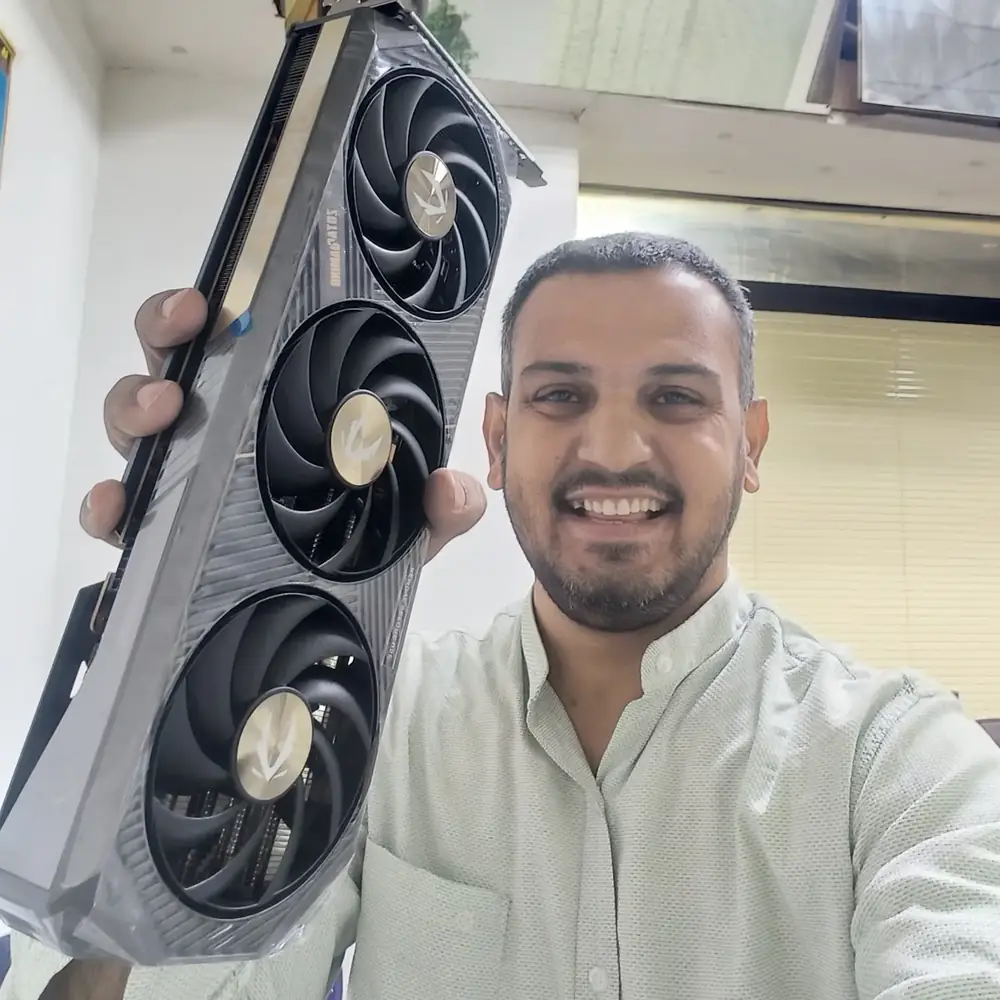
Zotac Gaming Graphics Card

GPU handling and component inspection during gaming PC diagnosis and repair.

1

Free Secure Pickup

We collect your gaming rig from your home or office anywhere in Kuwait, then tag and log it for secure, full chain-of-custody handling.

2

Stress Test & Thermal Imaging

Your system is tested under real gaming benchmarks and synthetic load tests while we monitor CPU, GPU, VRM, and memory temperatures with thermal cameras to isolate the exact bottleneck.

3

Precision Laboratory Repair

Repairs are completed in our ESD-compliant Hawalli lab using BGA micro-soldering, thermal service, firmware recovery, and other precision methods with genuine thermal compounds and controlled reflow.

4

Extended Verification & Return

We re-run FPS consistency checks, thermal equilibrium testing, and power delivery validation — commonly a 6-hour gaming stability test for thermal-related repairs — before returning the system to you.

What We Check

  • CPU core & package temperatures under load
  • GPU core and hotspot temperatures
  • VRAM temperature and stability under load
  • Storage (SSD/NVMe) thermal behavior
  • Memory (RAM) stability testing
  • Motherboard voltage rails
  • VRM temperatures under sustained load
  • Power supply output stability
  • Cooling system airflow and efficiency
  • Fan and pump operation
  • BIOS configuration and firmware version
  • Multi-hour stress testing and gaming benchmarks
  • Thermal imaging scan of the full board
  • Dust and particulate contamination
  • Internal cable and connector integrity

Frequently Asked Questions

Related Repair Resources

Explore the closest repair services, troubleshooting pages, brand specialists and practical guides for this type of fault.

First-party repair evidenceASUS ROG Dead Motherboard Case Study — Hawalli

Core repair services

Start with the main Kuwait repair service

Use the main computer repair hub for broader PC and device faults, or the focused laptop repair hub when the device is a laptop.

Where We Handle This Repair

These are the Kuwait service areas most directly connected to this repair type. Pickup is arranged through KCROC rather than requiring a walk-in visit.

Ready to fix your device?

Our technicians are ready to trace the fault. Send us your symptoms via WhatsApp for a fast, free estimate.

Message on WhatsApp
No Fix, No Fee Guarantee