
Laptop & MacBook Battery Replacement Kuwait
Battery health diagnostics, charging circuit testing, and OEM battery replacement — we confirm the battery is the actual fault before replacing it.A battery that drains in under an hour, a laptop that shuts down at "30% remaining," a charge percentage that jumps from 60% to 20% with no warning, or a trackpad that's started lifting on one side — these are five different symptoms, and not all of them mean the battery itself is the problem. A battery that reports 0% and won't charge at all is sometimes a dead cell, and sometimes a failed charging IC on the motherboard that would leave a brand-new battery just as unresponsive. That's why we test the charging circuit and power delivery path before we quote a replacement — we replace batteries only after confirming the battery, not the charging system, is the actual cause. In Kuwait, batteries also fail faster than the manufacturer's spec sheet assumes: lithium-ion cells degrade measurably faster at sustained temperatures above 40°C, and a laptop left in a parked car or by a sunlit window for part of the day pushes internal temperatures well past that.
Built for: University students, business professionals, remote workers, developers, designers, and gamers — anyone on a Windows laptop or MacBook noticing rapid battery drain, unexpected shutdowns, a battery that only holds charge while plugged in, or visible swelling.
Why Choose Us
Charging Circuit Diagnosis First
Before replacing anything, we test whether the fault is actually the battery cell or the charging IC/power delivery circuit — replacing a battery doesn't fix a bad charging chip, and we'd rather tell you that upfront than sell you a battery you don't need.
Transparent Battery Grade Options
We offer OEM manufacturer cells and premium compatible alternatives, and explain the real difference — protection circuitry, cycle life, and reporting accuracy — before you choose. We don't install uncertified low-cost cells that lack proper protection ICs, regardless of price pressure.
Battery Health Reporting
You receive an actual cycle count and health percentage reading before we quote, not a guess based on the laptop's age.
Swollen Battery Safety Protocol
A swollen lithium-ion cell is a genuine safety issue, not a cosmetic one. Removal follows a controlled, ESD-safe procedure — never a bare workbench.
Calibration & Verification, Not Just a Swap
Every replacement is followed by a calibration cycle, a full charge/discharge verification, and a thermal check under load — so you know the new battery is actually reporting and charging correctly before it leaves our lab.
Free Pickup & Delivery, Kuwait-Wide
Same-day battery replacement collected from and returned to your home or office anywhere in Kuwait.
No Fix, No Fee
If diagnosis shows the fault isn't the battery and we can't resolve it, you pay nothing for the diagnostic.
Service Capabilities
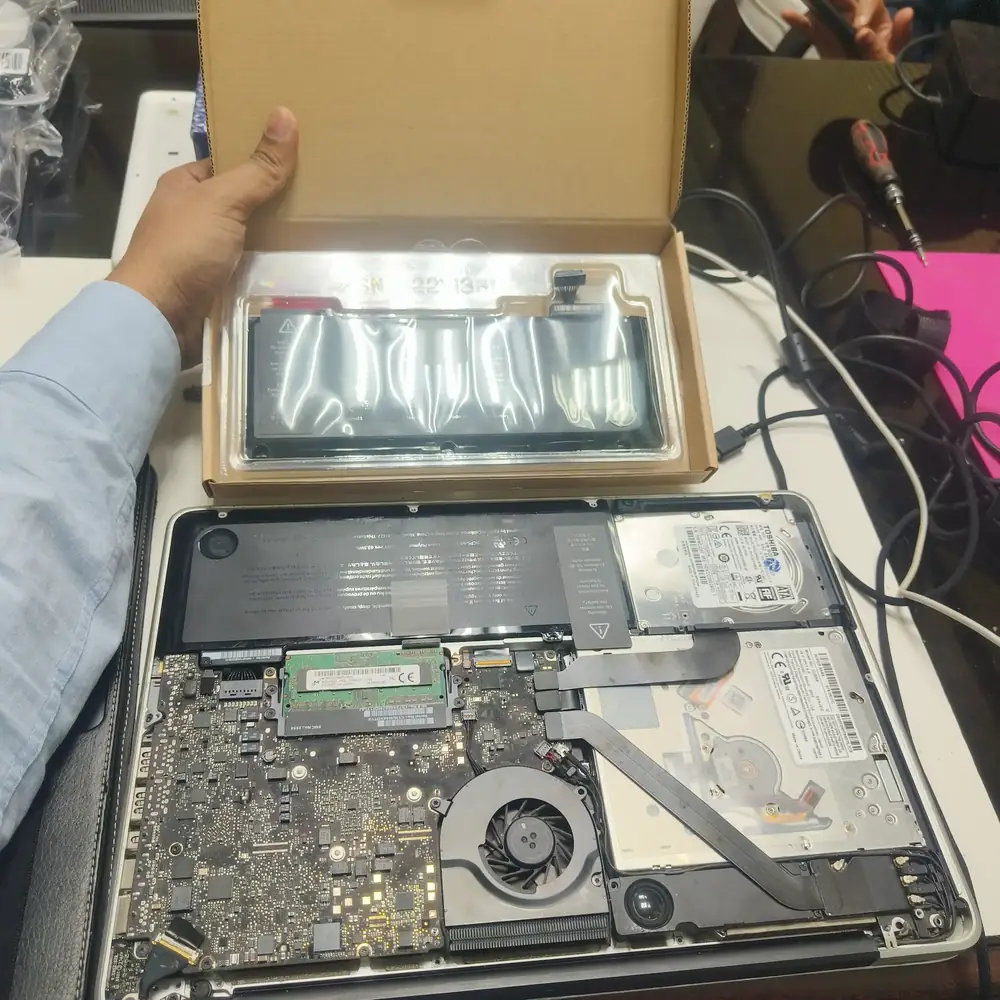
A swollen battery safely removed — swollen cells are handled and disposed of with proper safety precautions.
- Battery Health & Wear Analysis
- Cycle Count Verification
- Charging Circuit & Power Delivery Diagnostics
- USB-C Power Verification
- OEM Battery Replacement
- Premium Compatible Battery Installation
- MacBook, Dell, HP, Lenovo, ASUS, Acer & MSI Battery Replacement
- Swollen Battery Safe Removal & Disposal
- BIOS Battery Verification
- Battery Calibration
- Thermal Inspection Under Load
- Post-Replacement Stress Testing
- Free Pick & Drop
Devices We Cover
Brands We Service
Common Problems We Fix
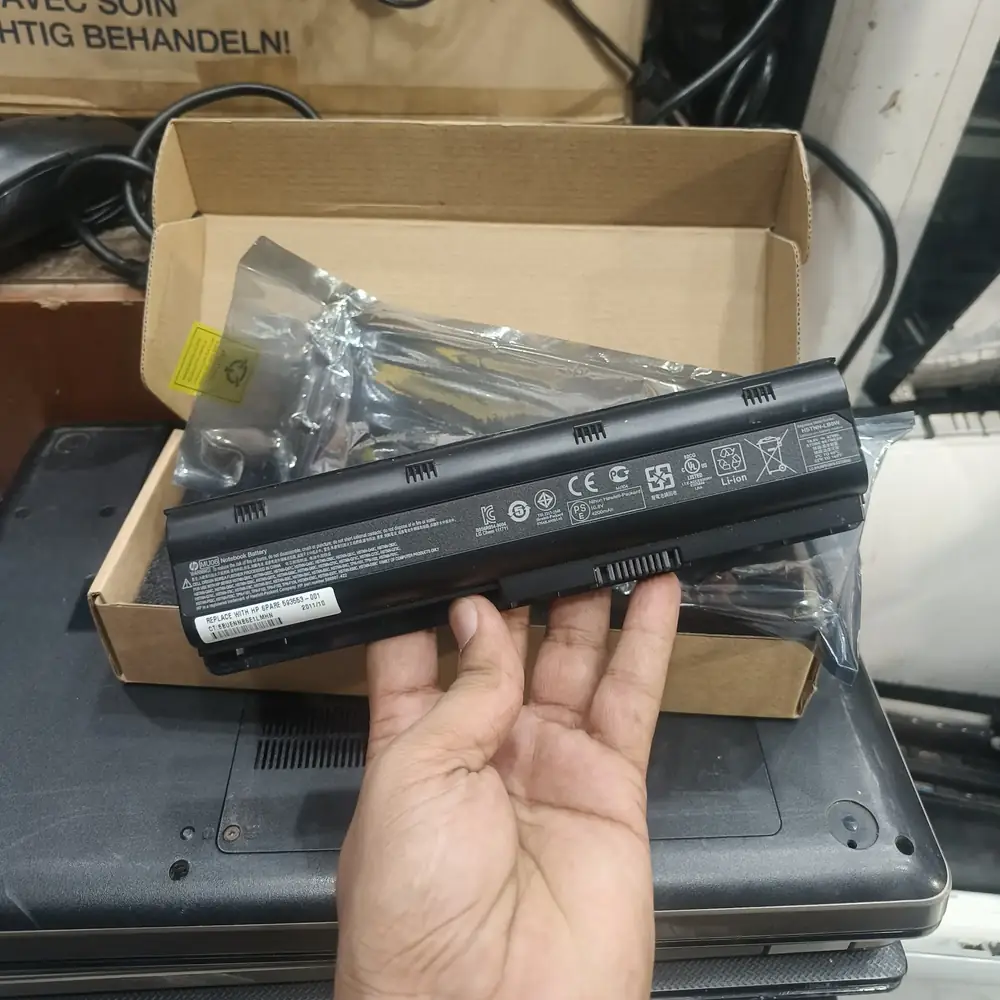
A mainstream laptop battery replacement example used during battery-health and power diagnosis.
Battery Drains in Under an Hour
mediumUsually straightforward capacity loss from normal lithium-ion aging, accelerated by Kuwait's heat. We measure actual remaining capacity against factory spec before recommending replacement — a battery reporting 90%+ health draining this fast points to a software/background-process issue instead, which we'll flag rather than replace a healthy battery.
Battery Percentage Jumps or Skips Unexpectedly
mediumA reported charge that suddenly jumps from, say, 60% to 30% is typically the battery's internal fuel gauge losing sync with the cell's real voltage curve as it ages — common once health drops meaningfully below new-battery baseline. A full recalibration sometimes resolves it; if it recurs, the cell itself needs replacing.
Battery Drops From 40% to 5% Almost Instantly
highA near-instant drop under load points to a cell that can no longer sustain voltage once demand increases — the reported percentage was accurate at idle but the battery physically can't deliver power at that "remaining" level anymore. This is a genuine replacement case, not a calibration issue.
Laptop Shuts Down at 20-30% Battery
highOften a sign the battery's voltage curve no longer matches what the system expects at that reported percentage — usually resolved with replacement, but we confirm it isn't a charging IC fault first.
Battery Plugged In But Refuses to Charge
highCan be a dead cell, a failed charging IC, a damaged charging port, or — occasionally — an underpowered or non-compliant charger. We test each stage of the power delivery path separately rather than assuming it's the battery.
Laptop Only Powers On While Plugged In
highThe battery is either fully depleted beyond recovery, internally disconnected, or reporting a fault state the system won't run from. We confirm which before quoting, since a disconnected-connector fix is a very different repair from a full cell replacement.
Battery Not Detected / 0% and Won't Charge At All
highCan be a fully dead cell, a disconnected battery connector, or a failed charging IC on the motherboard — we isolate which before replacing parts.
Swollen Battery / Lifting Trackpad, Keyboard, or Chassis
criticalLithium-ion cells swell from internal gas buildup as they degrade, and the resulting pressure can lift the trackpad, distort the keyboard deck, push against the display, or stress the motherboard directly above it. This is a genuine fire/chemical risk, not a cosmetic issue — never puncture or press on a swollen cell, and stop using the device until it's removed. We handle removal under controlled, ESD-safe conditions with proper containment, same-day where possible.
Laptop Overheats While Charging
mediumRising internal resistance in an aging cell generates more heat per watt delivered, which is often mistaken for a cooling-system fault when the battery itself is the source. We check both independently before recommending a fix.
Charging Pauses or Stops Randomly
mediumFrequently a thermal-protection cutoff triggering intermittently, or a loose internal connector losing contact under vibration. Both are diagnosable without assuming a battery swap is needed.
"Service Recommended" / "Replace Now" macOS Battery Warning
mediummacOS's own battery health indicator flags degraded cells before they cause visible symptoms — we replace the internal battery without affecting the rest of the motherboard.
Short Runtime Even Right After a Full Charge
mediumDirect evidence of capacity loss — the battery is genuinely holding less energy than its rated capacity, not a reporting error. We confirm the actual capacity reading against factory spec before quoting.
Charging Takes Much Longer Than It Used To
lowCan be a degrading charging IC, a lower-wattage or non-original charger being used, or a battery whose internal resistance has increased with age — we test the charger and circuit separately from the cell.
Typical Results
The figures below are representative outcomes for this repair category based on typical before/after results, not a specific customer's guaranteed result — every repair is quoted after its own diagnostic.
Reported Battery Health
Devices arriving at 40-60% health typically return to 95-100% of rated capacity after OEM replacement.
Unplugged Runtime
Laptops previously lasting 1-2 hours unplugged commonly return to 4-8+ hours depending on model and usage.
Sudden Shutdowns
Eliminated in the large majority of cases where the root cause was a genuinely degraded cell rather than a charging circuit fault.
Percentage Reporting Accuracy
Erratic or jumping percentage readings typically resolve after calibration, provided the fuel-gauge desync wasn't caused by a failing cell underneath it.
Representative Repair Scenarios
These are representative repair scenarios illustrating common fault categories we service, not records of a specific named customer.
MacBook Air: Swollen Battery Lifting the Trackpad
- Symptoms
- The trackpad had become slightly raised on one side and no longer clicked evenly.
- Diagnosis
- Visual and physical inspection confirmed battery swelling consistent with age-related cell degradation.
- Outcome
- The trackpad returned to its correct, flush position and the device passed a full charge-cycle test.
Windows Laptop: Misdiagnosed as a "Dead Battery"
- Symptoms
- The laptop would only run while plugged in and showed 0% battery at all times, even after hours of charging.
- Diagnosis
- Circuit-level testing found the charging IC itself had failed, while the battery cell tested as healthy.
- Outcome
- The laptop charged and reported battery percentage normally, running for several hours unplugged as expected.
Business Laptop: Battery Percentage Jumping Unpredictably
- Symptoms
- The reported charge would jump from around 55% straight down to 20% with no gradual decline in between.
- Diagnosis
- Capacity testing showed the cell itself was still within an acceptable range, but the fuel gauge had desynced from the actual voltage curve.
- Outcome
- Percentage reporting became linear and predictable again, with no battery replacement needed.
Our Repair Process
Installing and calibrating a replacement battery as the final step before post-repair stress testing.
Free Pickup
We collect your laptop or MacBook from your home or office anywhere in Kuwait, same day where scheduling allows.
Battery, Circuit & Thermal Diagnostic
We measure actual battery capacity and cycle count against factory spec, test the charging IC and power delivery circuit, and check thermal behavior under load — to confirm the battery, not the circuit, is the actual fault.
Confirm the Fault & Quote
You get a written explanation of what's actually wrong and an itemized quote before any work starts — including whether an OEM or premium compatible battery is the right fit for your situation.
Safe Removal & Replacement
For swollen cells, removal follows a controlled safety protocol. Connectors, dust, and internal cleanliness are checked while the device is open, then the new battery is fitted.
Calibration
The new battery is calibrated so the system's reported charge percentage accurately matches its real capacity from day one.
Charge-Cycle & Stress Verification
A full charge/discharge cycle and a thermal check under load confirm the battery holds and reports capacity correctly before the device is returned to you.
What We Check
- Battery capacity vs. factory-rated spec
- Charge cycle count
- Physical inspection for swelling or deformation
- Charging IC / power delivery circuit test
- USB-C power delivery verification (where applicable)
- Internal battery connector and cable integrity
- Thermal behavior under charging load
- Charge/discharge cycle verification after replacement
- Fuel-gauge calibration accuracy
Frequently Asked Questions
Related Repair Resources
Explore the closest repair services, troubleshooting pages, brand specialists and practical guides for this type of fault.
Troubleshooting pages
Brand specialists
الخدمة بالعربية
تبديل بطارية اللابتوب وMacBook في الكويتصفحة عربية مخصصة لنفس خدمة الإصلاح في الكويت.
Where We Handle This Repair
These are the Kuwait service areas most directly connected to this repair type. Pickup is arranged through KCROC rather than requiring a walk-in visit.
Service Areas in Kuwait
Ready to fix your device?
Our technicians are ready to trace the fault. Send us your symptoms via WhatsApp for a fast, free estimate.