
KCROC — Kuwait Computer Repair On Call

Laptop Overheating Kuwait

Symptom

Laptop extremely hot to touch, fans running at maximum speed, performance dropping under load.

An overheating laptop is rarely a single-part failure — it is usually a chain of small problems (dust, dried thermal paste, a tired fan) that compound each other, and Kuwait's climate accelerates every link in that chain. This page walks through how to tell normal warm-running from a genuine thermal fault, what to check before booking a cleaning, and what KCROC actually does once the laptop is on the bench.

Technician-led diagnosis Kuwait-specific guidance

Start here

First, identify what “won’t turn on” means

People often use the same phrase for a dead laptop, a black screen and a Windows boot failure. Choosing the correct path prevents unnecessary parts replacement.

Hot only under heavy load, fan loud but performance still fine

Likely early-stage dust buildup or aging thermal paste. Cleaning now can prevent throttling from developing.

Hot and throttling (visible slowdown) during gaming or heavy tasks

Thermal paste has likely dried out or the cooling fins are blocked. A cleaning and re-paste service is the direct fix.

See how KCROC diagnoses this

Hot even during light browsing, or shuts down unexpectedly

This is more advanced — check for a runaway background process first, then treat as an urgent cooling-system fault if the laptop shuts itself off.

Laptop is hot but the screen is also flickering or has display corruption

Extreme heat can affect the GPU or the display cable. Also check the black-screen problem path if the display is affected.

Laptop black-screen problem

Safe troubleshooting

What to check before opening the laptop

1

Check where the heat actually is

Feel the underside near the vents and the keyboard area above the CPU/GPU. Heat concentrated in one spot near the fan exhaust points to a cooling blockage; even heat across the whole chassis is more often a design characteristic than a fault.
2

Listen to the fan behavior

A fan that spins at maximum speed constantly, or that changes pitch/grinds, suggests dust resistance or a worn bearing. A fan that never seems to speed up under load can point to a blocked airflow path instead.

3

Check the vents and intake

Look at the visible vents and intake grille for dust or lint. Elevate the laptop off soft surfaces like beds and cushions, which block the intake and can look like a hardware fault by themselves.

4

Watch for throttling patterns

Note whether performance only drops during sustained load (gaming, exports, compiling) or even during light use — sustained-only throttling points toward thermal paste and dust; constant slowness can indicate a separate issue.

5

Rule out software causes

Background updates, malware, or a stuck process pinning the CPU can look identical to a thermal fault. Check Task Manager for a process using continuous high CPU before assuming it is hardware.

6

Decide if it is time for a professional cleaning

If the laptop is 12+ months old, has never been cleaned, or shows the pattern above, an internal cleaning and re-paste is the appropriate next step rather than continuing to run it hot.

Root causes

Common reasons a laptop has no power

Laptop Dust Cleaning Overheating Kuwait

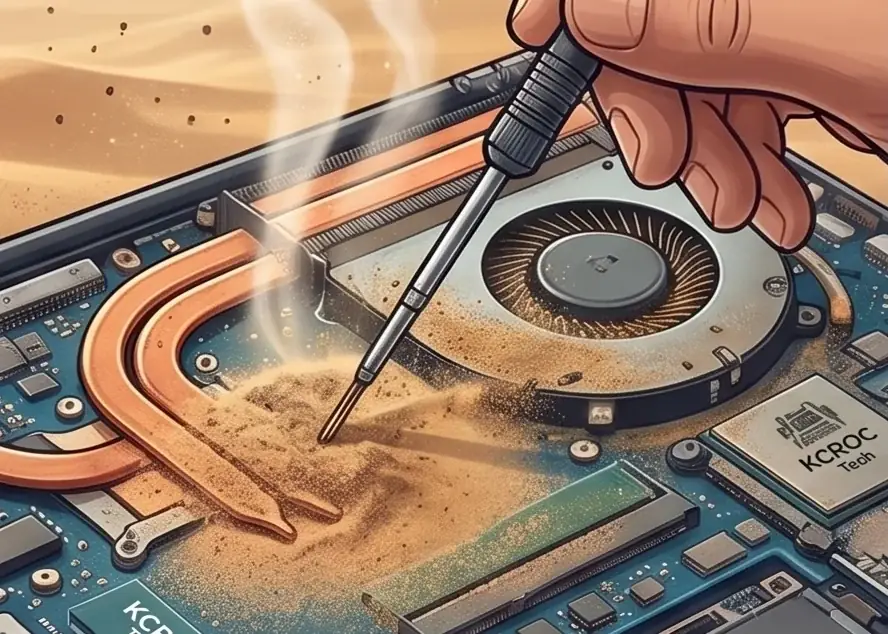
Dust buildup inside the cooling system — the leading cause of overheating in Kuwait's climate.

Dust-blocked cooling fins — most common in Kuwait's particulate environment
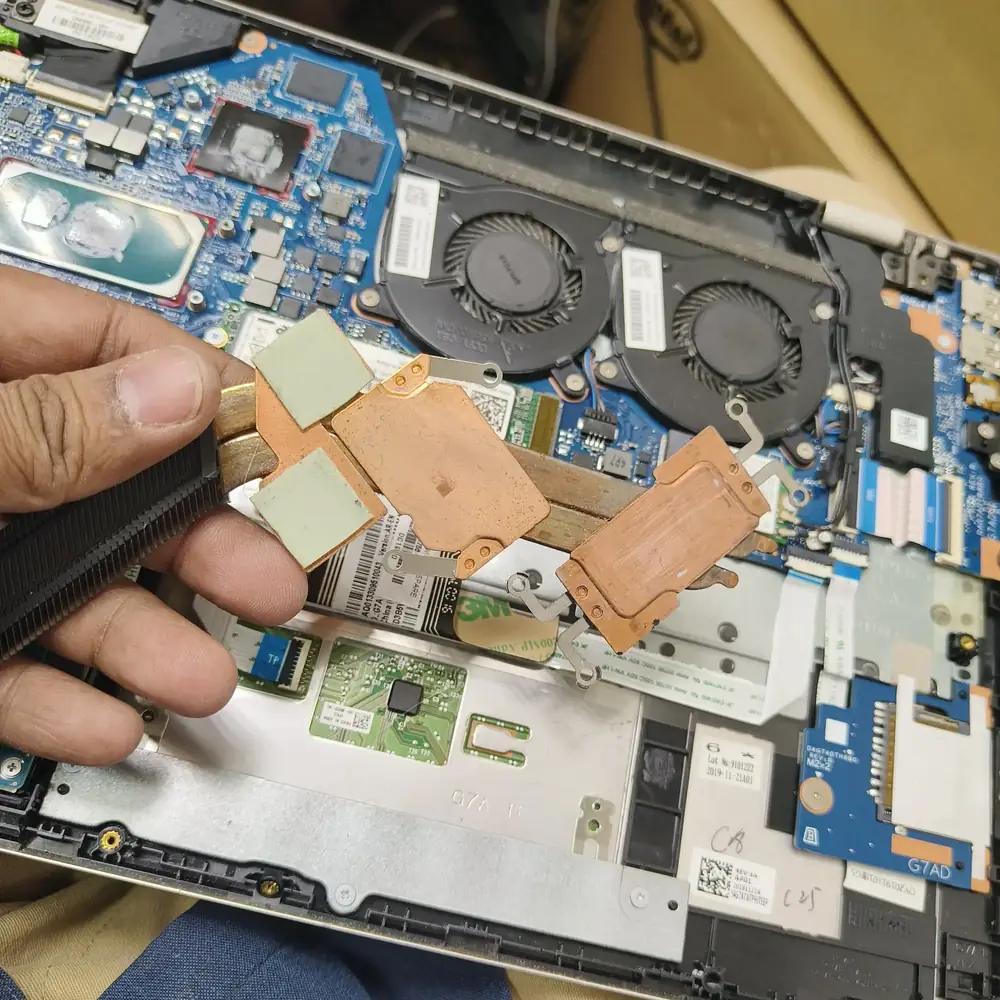
Dried thermal paste — accelerates in 45°C+ summer temperatures
Failed or worn fan bearing

What NOT to do

Do not use a laptop that is thermal throttling on intensive tasks — sustained overheating degrades the CPU and eventually kills the motherboard.

  • Stop running intensive workloads (gaming, exports, compiling) on a laptop that is visibly throttling — sustained heat stress shortens CPU and motherboard life.
  • Do not block the intake vents by using the laptop on a bed, sofa or other soft surface for extended periods.
  • Do not attempt to open the chassis and apply thermal paste yourself unless you are comfortable with laptop disassembly — incorrect paste application or reassembly can cause more damage than the original heat issue.

Local expertise

What matters in Kuwait

Kuwait's ambient summer temperatures regularly exceed 45°C, which accelerates the drying and cracking of factory thermal paste well ahead of the timelines seen in cooler climates.

Fine airborne dust and sand are more prevalent locally, which clogs cooling fins faster than in most other regions — a laptop that would need cleaning every 18-24 months elsewhere may need it every 8-12 months here.

KCROC sees overheating as one of the most common Kuwait-specific repair categories and offers free pickup and delivery across all governorates so the laptop does not need to be carried in during peak heat.

Inside the lab

How KCROC diagnoses a genuinely dead laptop

When the external power path checks out but the laptop remains dead, the useful question is where power stops progressing through the board—not which expensive part to replace first.

1

Baseline temperature test

We run the laptop under controlled load and log CPU/GPU temperatures before opening the chassis, so the improvement after service can be verified rather than assumed.

2

Full disassembly and inspection

The chassis is opened and the heatsink, fan assembly and vents are inspected directly for dust density, worn fan grease and paste condition.

3

Ultrasonic and compressed cleaning

The heatsink and fan are cleaned to remove dust and debris that surface cleaning through vents cannot reach.

4

Fresh thermal material application

Dried factory paste is removed and replaced with a phase-change or high-grade thermal compound rated for sustained performance in high-heat environments.

5

BIOS thermal-limit and fan-curve check

We confirm the fan curve and thermal limits in BIOS are behaving as designed, since an incorrect fan curve can mimic a hardware cooling fault.

6

Post-service verification

The same load test is repeated after service and compared against the baseline reading before the laptop is returned.

The KCROC approach

Diagnose first. Repair the failed stage.

Ultrasonic cleaning of the cooling system, fresh phase-change thermal material application, and fan inspection. We also check BIOS thermal limits.

Brands and devices covered

The diagnostic approach applies across major laptop designs; the exact hardware path varies by model.

Repair services

Handled under

Continue the diagnosis

Use the most specific guide or service page for the symptom you are actually seeing.

Questions customers ask

Laptop won't turn on: FAQ

Is it normal for a laptop to feel hot in Kuwait?

Some warmth under load is normal, especially with high ambient room temperatures. It becomes a problem when the fan runs at maximum constantly, performance visibly drops under load, or the laptop shuts down unexpectedly.

How often should a laptop be cleaned in Kuwait's climate?

As a general guide, every 8-12 months for regular use, sooner for gaming laptops or laptops used in dusty environments. A laptop that has never been cleaned and is 12+ months old is a reasonable candidate regardless of symptoms.

Can overheating actually damage my laptop permanently?

Yes. Sustained high temperatures accelerate wear on the CPU, GPU, battery and solder joints, and can eventually cause motherboard-level failures that are far more expensive than a routine cleaning.

Will cleaning fix my laptop if it is already shutting down from heat?

In most cases a cleaning and re-paste resolves shutdown-from-heat issues caused by dust and dried paste. If the fan bearing has failed or the shutdown persists after cleaning, further diagnosis of the fan or thermal sensor may be needed.

Does using a cooling pad actually help?

A cooling pad can modestly reduce ambient temperature around the chassis, but it cannot remove internal dust or restore dried thermal paste — it is a supplement to cleaning, not a replacement for it.

How long does a laptop cleaning and re-paste take at KCROC?

Most laptops are completed within a few hours for standard cleaning and re-pasting, same-day in most cases when the laptop is dropped off or picked up in the morning.

Updated September 10, 2026Technical guidance by KCROC • Hawalli, Kuwait