KCROC — Kuwait Computer Repair On Call

MacBook Air & MacBook Pro • Hawalli lab • Kuwait-wide pickup

MacBook Battery Replacement in Kuwait — Model-Matched, Installed & Checked

Seeing Service Recommended, losing charge quickly, shutting down early, or stuck at 1%? Before fitting a battery, KCROC checks the battery and the relevant USB-C or MagSafe charging path. We match the replacement to your MacBook, explain the available part grade and send the complete installed price before you approve paid work.

FreeInitial battery and charging diagnosis
Installed totalPart and labour quoted together before work
30 daysWarranty on covered completed repairs
No Fix, No FeeKCROC published policy, subject to its terms
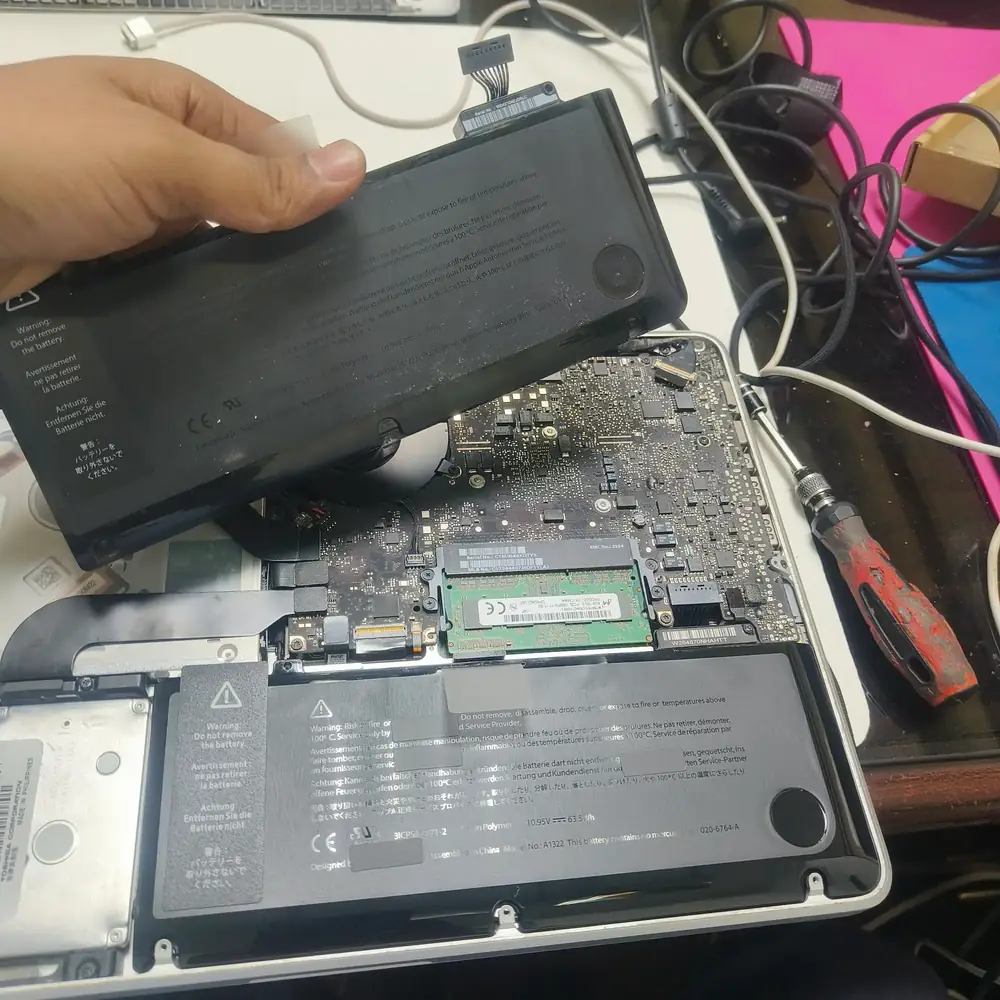
MacBook internal battery service and replacement at KCROC in Hawalli, Kuwait
We verify the exact model and compatible battery before confirming the installed price.

No parts-price surprise

One installed quote. Battery and labour shown together.

Your quote is built around the exact A-number, compatible battery assembly, documented part grade and current stock. We give you the complete amount in KWD before any paid work begins.

Labour from 8 KWD

This is the installation labour starting rate only — not the full installed price. The battery is additional. Ask for the all-in total for your exact model.

What your installed quote covers

  • Compatible battery assembly matched to the model
  • Installation labour and internal fitment checks
  • Battery reporting and charging verification where supported
  • Part grade, warranty and total confirmed before approval

One-tap WhatsApp quote

Choose your MacBook and symptom

No screenshot or serial number is required to start. Choose the closest model, or select “I am not sure”; tell us the pickup area and we will help identify the correct battery.

1. Which MacBook do you have?

2. What is happening?

Send My MacBook Quote Request

WhatsApp opens with your selected model and symptom pre-filled. You can edit the message before sending.

MacBook model and A-number guide

Find your MacBook battery model before requesting a price

These are common A-number examples customers search for. They help us narrow down the correct battery, but they are not a substitute for checking the exact model identifier, year and part number. Newer and less common models can still be checked individually.

MacBook familyCommon A-numbersInstalled priceTurnaround
MacBook Air — Intel and Apple silicon

Includes commonly encountered 11-inch, 13-inch and 15-inch generations.

A1466 · A1932 · A2179 · A2337 · A2681 · A2941 · A3113 · A3114Complete KWD quote after part and stock checkConfirmed after compatibility and availability checks
MacBook Pro — Intel Retina and Touch Bar

Battery construction and adhesive procedure vary between chassis generations.

A1398 · A1502 · A1706 · A1707 · A1708 · A1989 · A1990 · A2141 · A2159 · A2251 · A2289Complete KWD quote after part and stock checkConfirmed after compatibility and availability checks
MacBook Pro — Apple silicon

The exact screen size, year and battery assembly still need to be matched.

A2338 · A2442 · A2485 · A2779 · A2780 · A2918 · A2991 · A2992Complete KWD quote after part and stock checkConfirmed after compatibility and availability checks

Price transparency: the 8 KWD figure is starting labour only. We do not publish an installed range until the exact battery grade and supplier cost are verified. Every customer receives the all-in total before approving the repair.

Package 1

Complete installed battery replacement

For confirmed battery wear or failure. The quote combines the model-matched battery and installation, states the available part grade and warranty, and includes post-install battery-status and charging checks.

Request standard and premium-compatible options when verified stock is available.

Package 2

Charging-circuit diagnosis and board repair

For a MacBook that will not charge, stays at 1%, disconnects intermittently or behaves the same with a known-good adapter. Where measurements point to the logic board, we investigate the model-specific USB-C power-delivery, charging-controller and power-rail stages before quoting a component-level repair.

A new battery is not recommended until the fault is identified.

Optional care

Cooling inspection while the MacBook is open

On compatible fan-equipped models, we can inspect fan and heatsink dust buildup and assess whether internal cleaning or thermal-interface service is justified. This is not a standard battery-replacement requirement, may not apply to every MacBook, and is separately quoted before work.

No automatic thermal add-on or unapproved charge.

Diagnosis before parts

How KCROC checks a MacBook battery before replacement

Identify the exact MacBook

Confirm the model family, screen size, year and A-number or model identifier. Similar-looking models can use different battery assemblies.

Review battery condition

Read macOS battery health and cycle information where available, then compare it with runtime, shutdown and percentage symptoms.

Separate battery from charging fault

Check the adapter, cable, USB-C or MagSafe input and relevant battery/charging behaviour before blaming the battery.

Inspect the board when indicated

If measurements point beyond the battery, investigate the model-specific power-delivery and charging path rather than swapping parts by guesswork. On applicable boards, examples can include CD3215 or CD3217 USB-C PD controllers, ISL9239 or ISL9240 charging controllers, and rails such as PPBUS_G3H. These are model-dependent examples, not a universal parts list.

Match the replacement

Confirm compatible part number, supplier availability and documented grade. We explain the options and total before approval.

Verify after installation

Review battery reporting and charging response, and check temperature behaviour during appropriate normal-load charging verification.

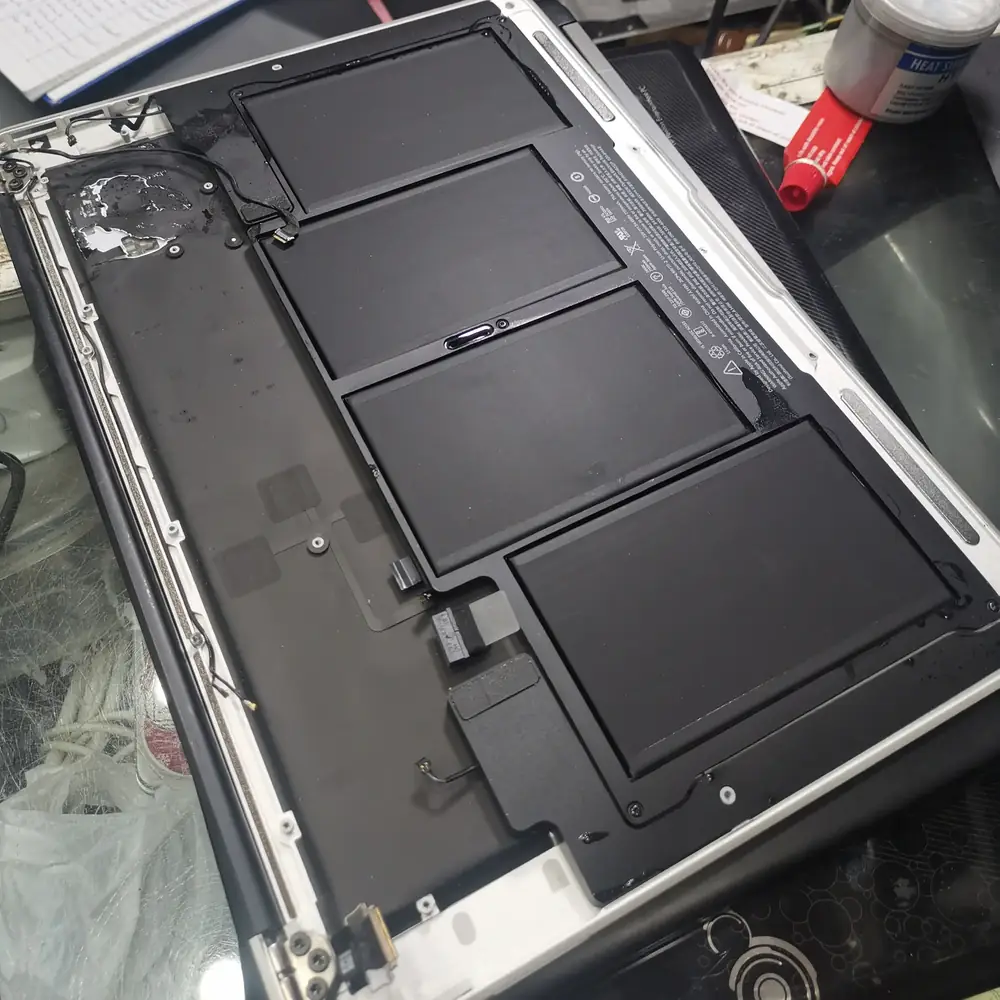
Swollen MacBook battery requiring safe professional assessment
Do not press or attempt to remove a swollen lithium-ion battery.

Safety first

Swollen battery or lifting trackpad? Stop using the MacBook.

A swollen pack can press against the trackpad, keyboard and internal components. Stop using and charging the device. Disconnect the charger only if safe; do not press the case, close it against resistance, puncture the pack or try to open the device yourself.

Contact KCROC first for safety instructions. We will confirm whether and how a safe collection can be arranged for your area; do not place a visibly damaged battery into ordinary courier transport without prior instructions.

Request Swollen-Battery Safety Advice

How to identify your MacBook without taking a screenshot

MacBook starts normally

Open Apple menu → About This Mac and tell us the model name, screen size and year shown. You do not need to send the serial number.

MacBook does not start

Send the model name from your purchase record or a clear external photo of the bottom case if the A-number is legible.

You cannot identify it

Choose “I am not sure” in the WhatsApp quote selector. We can guide you through the next safe identification step.

MacBook battery replacement FAQs

How much is a MacBook battery replacement in Kuwait, fully installed?

We quote the complete installed price after checking the exact MacBook model and battery availability. The quote states the battery part, disclosed grade where supplier information is available, installation labour and applicable warranty together. Labour starts from 8 KWD, but that is not the installed total and does not include the battery.

Can I choose a standard or premium battery?

Where both options are available from verified supplier stock, we can quote more than one compatible battery grade. We explain the documented manufacturer or grade information, warranty coverage and complete installed total for each option. We do not describe a compatible battery as a genuine Apple part or a zero-cycle cell unless that claim is supported by the part documentation.

Which MacBook Air and MacBook Pro A-numbers do you support?

The page lists common examples including Air A1466, A1932, A2179, A2337, A2681, A2941, A3113 and A3114, plus Pro A1502, A1989, A1990, A2141, A2338, A2442, A2485, A2779, A2780 and other generations. The list is not exhaustive. We verify the exact year, model identifier and battery part number before confirming compatibility.

Does Service Recommended always mean the battery must be replaced?

No. Apple describes Service Recommended as a battery that holds less charge than when new or is not functioning normally. We review the macOS battery-health status, cycle count where available, runtime symptoms and charging behaviour before recommending replacement.

Is a MacBook that will not charge always a bad battery?

No. The adapter, cable, USB-C or MagSafe input, internal connector, battery communication or motherboard charging circuit may be responsible. Our initial diagnosis checks the relevant power path before a battery is ordered, so you are not quoted for a battery that may not solve the fault.

Do you check the charging IC or motherboard if the battery is not the cause?

When symptoms and measurements point to a board-level fault, we can investigate the relevant USB-C power-delivery and charging stages and power rails for that specific board. Controller names and circuit layouts differ by model; we identify the board and test it rather than assuming one chip is responsible.

Do you calibrate the replacement battery?

After installation we review battery reporting, state-of-charge behaviour and charging response where the model and macOS expose those readings. Any fuel-gauge procedure is model- and part-appropriate. We do not force an unnecessary full-discharge cycle, because modern Mac battery management is not improved by routinely draining a battery to zero.

Can you clean the fans or renew thermal material during the battery service?

We can inspect the cooling system while assessing the device. Internal fan and heatsink cleaning or thermal-interface service may be recommended on compatible fan-equipped models when the condition justifies it. It is not required for every battery replacement, is not suitable for every MacBook, and is quoted separately before work.

What should I do if the battery is swollen or the trackpad is lifting?

Stop using and charging the MacBook, disconnect the charger if it is safe to do so, and do not press, bend, puncture, open or try to remove the battery. Keep it away from heat and arrange safe handling instructions with us before attempting collection. Do not send or transport a visibly damaged battery without first agreeing the safe arrangement.

How long does MacBook battery replacement take?

Timing depends on the exact model, the correct battery being in stock and the condition of the internal assembly. We confirm the expected turnaround after checking compatibility and availability. Same-day completion is not promised before those checks.

What warranty and pickup service do you provide?

Covered completed repair work carries KCROC’s 30-day warranty under the stated service terms. Free pickup and delivery can be arranged across Kuwait; diagnosis and repair are completed at the KCROC workshop in Hawalli. We explain the applicable warranty and collection details before you approve the work.

KCROC • Hawalli repair lab • Kuwait-wide pickup

Get the correct battery and the complete price before you book

Choose your model and symptom above or send us a message with “I am not sure”. We will check the diagnosis and compatible part, then confirm the installed total, warranty and expected timing before paid work.

Free initial diagnosis 30-day covered-work warranty Free Kuwait-wide pickup