
Apple M6 MacBook Pro, iMac and Mac mini: Specifications, Architecture and Performance
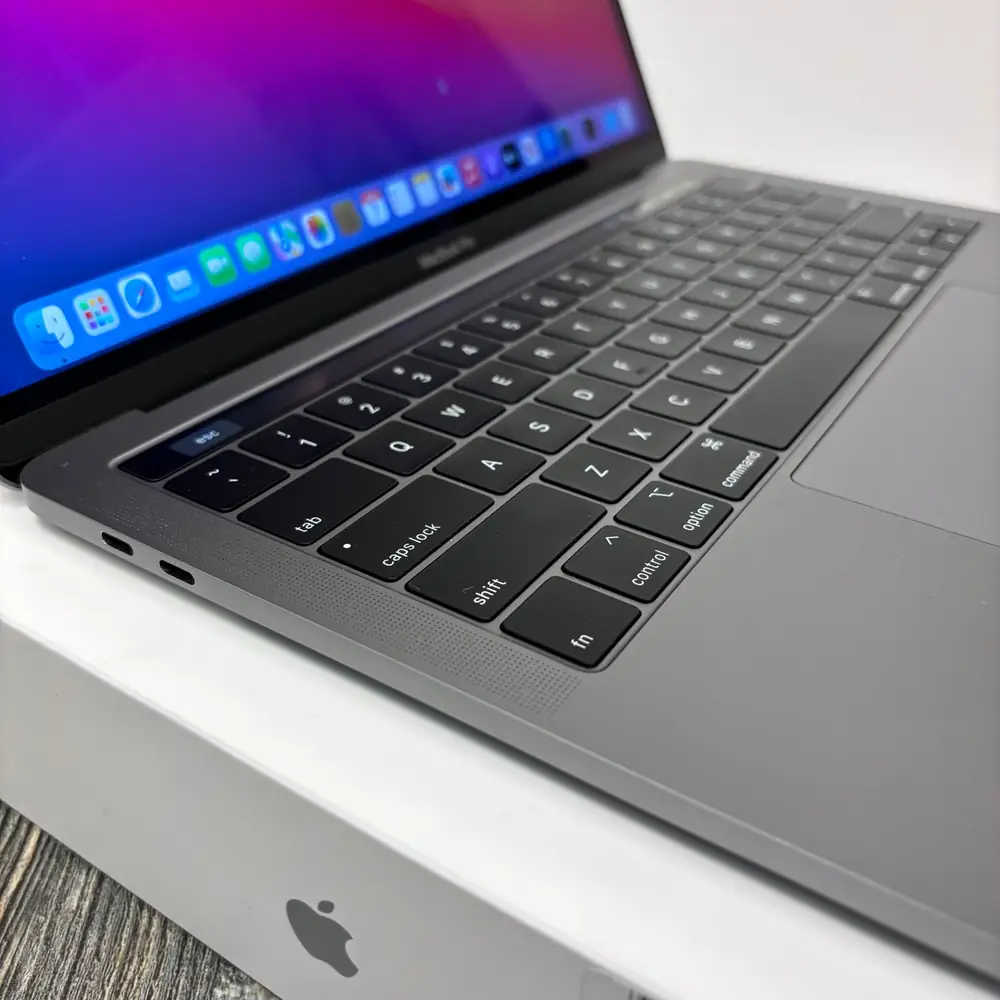
Apple’s M6 generation brings its first 2nm Mac chip to the Mac mini, 14-inch MacBook Pro and 24-inch iMac. This global technology report compares the architecture, memory tiers, displays, charging, connectivity and published performance claims.
On This Page
- Apple M6 silicon: first 2nm generation, three compute blocks
- CPU topology: 2 Super, 4 Performance and 6 Efficiency cores
- GPU architecture, Neural Accelerators and ray tracing
- Dual 16-core Neural Engine and the M6 Media Engine
- Unified memory: 153GB/s versus 170GB/s
- 14-inch MacBook Pro M6: display, battery, charging and I/O
- 24-inch iMac M6: two-port versus four-port configuration
- M6 Mac mini: compact desktop, ports and three-display support
- Model identifiers: how to identify an M6 Mac
- Apple’s performance claims: read the comparison baseline
- M1 through M5 owners: upgrade the workload, not the marketing label
- Warranty, service and repairability
- Official Apple technical references
Apple’s M6 story began with the Mac mini on August 25, 2026, followed by customer availability on September 22. Apple announced the 14-inch MacBook Pro and 24-inch iMac with M6 on October 27; pre-orders opened October 28 and retail availability began November 6. The three products share the M6 family, but their CPU bins, memory choices, ports, displays and upgrade paths are not identical. Those differences matter more than treating every M6-branded Mac as the same computer.
Specification audit: confirmed versus not published
Apple’s August 25 M6 announcement explicitly describes M6 as its first 2-nanometer chip. Apple’s current product and technical-specification pages also confirm the core configurations, Neural Accelerators, Dual 16-core Neural Engine and published memory tiers. Apple does not publish a transistor count or a universal peak clock figure in those documents, so this article does not present “46 billion transistors” or a 4.8GHz maximum clock as manufacturer-confirmed specifications.
1. Apple M6 silicon: first 2nm generation, three compute blocks
Apple introduced M6 as its first 2nm chip in the August 25, 2026 Mac mini announcement. That is a manufacturer-published process-generation claim, not an inference from a third-party chip database. Apple’s product material describes three major compute areas: the CPU, the GPU with Neural Accelerators in each core, and the Dual 16-core Neural Engine. Apple also identifies hardware-accelerated ray tracing and an updated media engine. The practical point is that general-purpose computing, graphics work and selected AI tasks have distinct hardware resources; one core-count headline cannot describe the performance of every workload.
The phrase “2nm” is a process-generation label. It should not be interpreted as a literal measurement of every transistor feature, nor does it independently tell a buyer how fast an application will run. A finished Mac’s behaviour also depends on the selected M6 bin, unified-memory capacity, storage configuration, cooling design, power limits, operating system and software.
2. CPU topology: 2 Super, 4 Performance and 6 Efficiency cores
On the full 12-core M6 CPU configuration, Apple lists two Super cores, four Performance cores and six Efficiency cores. The three groups are intended for different operating points: Super cores handle latency-sensitive bursts; Performance cores provide additional throughput for sustained multi-threaded work; and Efficiency cores support lower-power background and lighter tasks. The scheduler can distribute activity across these groups, but it does not turn every application into a perfectly parallel workload.
- 2 Super cores: short, high-priority bursts such as interactive actions, parts of application launches and latency-sensitive work.
- 4 Performance cores: sustained multi-threaded activity such as code compilation, creative exports and workloads that can use multiple CPU threads.
- 6 Efficiency cores: lower-power tasks such as background services, sync activity and lighter system work.
Important iMac exception: the entry 10-core bin
The $1,499 two-port iMac is not the same CPU/GPU configuration as the full 12-core M6. Apple lists a 10-core CPU made up of 2 Super, 3 Performance and 5 Efficiency cores, paired with a 10-core GPU. The 12-core CPU and GPU configuration is used by the four-port iMac and the full M6 configurations in the MacBook Pro and Mac mini.
3. GPU architecture, Neural Accelerators and ray tracing
The full M6 GPU has 12 cores and Neural Accelerators integrated into each GPU core. Apple also lists hardware-accelerated ray tracing and third-generation ray-tracing technology on the 14-inch MacBook Pro announcement, together with Dynamic Caching for more efficient use of on-chip memory. These features are relevant to graphics, 3D rendering, supported creative applications and selected AI workloads. They do not mean every game or program automatically receives the same uplift.
The 10-core iMac configuration uses a 10-core GPU. The 12-core iMac and full M6 MacBook Pro/Mac mini configurations use a 12-core GPU. That distinction should be checked on the exact product configuration rather than inferred from the words “iMac M6” or “MacBook M6” alone.
4. Dual 16-core Neural Engine and the M6 Media Engine
Apple describes the M6 Neural Engine as Dual 16-core: two 16-core engine blocks, or 32 Neural Engine cores in total. Apple positions it alongside the GPU Neural Accelerators for on-device AI features such as model inference, image generation and other supported machine-learning operations. Actual results depend on the model, precision, memory footprint, software framework and whether an application uses the Neural Engine, GPU or CPU.
Apple’s M6 technical pages also list hardware video support for H.264, HEVC, ProRes and ProRes RAW, including dedicated video encode/decode and ProRes encode/decode engines, plus AV1 decode. For content creators, dedicated media blocks can handle supported codecs without making the CPU perform every stage in software. The exact supported export settings remain application- and format-dependent.
5. Unified memory: 153GB/s versus 170GB/s
Unified memory is shared by the CPU, GPU and Neural Engine. Apple’s 14-inch M6 MacBook Pro technical specification is explicit about the bandwidth split: the 16GB configuration is listed at 153GB/s, while 24GB and 32GB configurations are listed at 170GB/s. Apple’s Mac mini specification page also shows 153GB/s on the 16GB M6 configurations and 170GB/s for the higher-memory configuration. The memory capacity and bandwidth tier are therefore linked to the configuration selected at purchase.
| Mac configuration | Unified memory | Apple-published bandwidth |
|---|---|---|
| 14-inch MacBook Pro M6 — base | 16GB | 153GB/s |
| 14-inch MacBook Pro M6 — higher tiers | 24GB or 32GB | 170GB/s |
| Mac mini M6 — base | 16GB | 153GB/s |
| Mac mini M6 — higher tier | 24GB or 32GB | 170GB/s |
| 24-inch iMac M6 | 16GB base; 24GB or 32GB options depend on CPU bin | Up to 170GB/s; Apple’s iMac page does not show the same per-capacity bandwidth table as the MacBook Pro page |
The jump from 153GB/s to 170GB/s is approximately 11.1 percent in peak bandwidth. That does not mean every task becomes 11.1 percent faster: software may be CPU-bound, GPU-bound, storage-bound or limited by its own algorithms. For large local AI models, high-resolution creative projects and workloads that repeatedly move substantial data between compute units, both capacity and bandwidth can matter.
Choose unified memory before checkout
Apple Silicon unified memory is not a conventional user-replaceable SO-DIMM upgrade. Select enough memory for the intended applications when configuring the Mac. Do not assume a service provider can later convert a 16GB machine to 24GB or 32GB; unified memory is integrated into the system design.
6. 14-inch MacBook Pro M6: display, battery, charging and I/O
Apple’s 14-inch M6 MacBook Pro is the mobile member of this first M6 group. Apple lists a 14.2-inch Liquid Retina XDR display at 3024 × 1964 native resolution, 254 pixels per inch, ProMotion up to 120Hz, P3 wide colour and True Tone. Peak HDR brightness reaches 1,600 nits for HDR content, while the listed sustained full-screen XDR brightness is 1,000 nits. A nano-texture display option is available on configurations where offered.
- CPU/GPU: 12-core CPU (2 Super, 4 Performance, 6 Efficiency) and 12-core GPU with Neural Accelerators.
- Neural Engine: Dual 16-core Neural Engine.
- Unified memory: 16GB at 153GB/s, or 24GB/32GB at 170GB/s.
- Storage: 1TB standard, configurable to 2TB or 4TB.
- Battery: 72.4Wh lithium-polymer; Apple rates it for up to 24 hours of video streaming and up to 16 hours of wireless web use.
- Ports: MagSafe 3, three Thunderbolt 4 (USB-C) ports, HDMI, SDXC card slot and 3.5mm headphone jack.
- Wireless: Apple N1 wireless networking chip, Wi-Fi 7, Bluetooth 6 and Thread networking.
- External displays: up to two external displays, with supported combinations including two 6K/60Hz displays or two 4K/165Hz displays, while using the built-in display.
60W minimum recommended versus 96W fast charging
Apple lists 60W as the minimum recommended power-adapter wattage for charging the 14-inch M6 MacBook Pro. Fast charging requires a 96W-or-higher USB Power Delivery power source. Those figures describe different thresholds: a suitable lower-wattage USB-PD adapter can charge the Mac, but it does not meet Apple’s stated fast-charge requirement. The supplied adapter and included cable can vary by sales configuration and market, so check the exact box contents rather than assuming every regional SKU ships identically.
For a charging complaint, separate the adapter, cable, port and computer before concluding that the logic board has failed. Verify the adapter’s USB-PD capability and rated output, test a known-good compliant cable, compare MagSafe 3 with USB-C charging where supported, inspect the connector for physical damage and confirm whether the battery is recognised. A board-level diagnosis should follow controlled checks rather than a guess based only on a low charging percentage.
7. 24-inch iMac M6: two-port versus four-port configuration
The 24-inch iMac M6 keeps the 4.5K all-in-one format and seven colour options, but Apple offers two materially different hardware configurations. The two-port model starts at US$1,499 and uses a 10-core CPU/10-core GPU bin. The four-port model starts at US$1,699 and uses the full 12-core CPU/12-core GPU configuration. These are published US starting prices; retail prices and configurations vary by market.
| Feature | Two-port iMac | Four-port iMac |
|---|---|---|
| Published US starting price | $1,499 | $1,699 |
| CPU / GPU | 10-core CPU (2S + 3P + 5E) / 10-core GPU | 12-core CPU (2S + 4P + 6E) / 12-core GPU |
| Rear ports | 2 Thunderbolt / USB 4 ports | 4 Thunderbolt 4 ports |
| Unified memory options | 16GB; configurable to 24GB | 16GB; configurable to 24GB or 32GB |
| SSD options | 256GB; configurable to 512GB or 1TB | 256GB; configurable to 512GB, 1TB or 2TB |
| Ethernet | 2.5Gb Ethernet is a configure-to-order option | 2.5Gb Ethernet included |
| Nano-texture glass | Not listed for this bin | Available as an option |
Both models use a 24-inch-class 4.5K Retina display (23.5 inches measured diagonally), a 12MP Center Stage camera and Apple’s Dual 16-core Neural Engine. Apple lists memory bandwidth up to 170GB/s for iMac M6, but its public iMac page does not present the same explicit 16GB-versus-24GB/32GB bandwidth breakdown shown on the MacBook Pro technical page. For that reason, this article does not assign an exact 153GB/s figure to every iMac 16GB SKU.
The all-in-one form factor has a different service profile from a Mac mini or tower PC. The display, logic board, speakers, cooling assembly and enclosure are integrated into one unit. A display fault should be diagnosed before pricing a complete assembly, and any opening or reassembly procedure must account for the model-specific display attachment and sealing method. Internal access is not the same as a user upgrade path.
8. M6 Mac mini: compact desktop, ports and three-display support
Apple announced the M6 Mac mini on August 25, 2026 and began availability on September 22. It starts at US$899 in the United States. Apple’s model-identification support page lists the M6 Mac mini as Model Identifier Mac18,5; individual order numbers and regional part numbers vary by configuration. Apple’s technical page lists the full 12-core M6 CPU, 12-core GPU, Neural Accelerators, hardware ray tracing and Dual 16-core Neural Engine.
- Memory: 16GB standard, configurable to 24GB or 32GB; Apple lists 153GB/s for the base 16GB configurations and 170GB/s for the higher-memory tier.
- Storage: 256GB SSD standard, configurable to 512GB, 1TB or 2TB.
- Front I/O: two USB-C ports supporting USB 3 up to 10Gb/s and a 3.5mm headphone jack.
- Rear I/O: three Thunderbolt 4 ports, HDMI and 2.5Gb Ethernet, configurable to 10Gb Ethernet.
- Wireless: Apple N1 wireless networking, Wi-Fi 7, Bluetooth 6 and Thread networking.
- Displays: up to three external displays, subject to Apple’s supported resolution and refresh-rate combinations.
The Mac mini is the logical M6 form factor for a user who already owns suitable monitors, keyboard and pointing device. It avoids paying for an integrated laptop display and battery, while giving a compact desktop footprint. It is not automatically the better choice for someone who needs portability, a built-in camera or a battery-backed mobile workstation.
9. Model identifiers: how to identify an M6 Mac
Marketing names are not enough to identify a precise configuration. Apple model-identification references list the 14-inch M6 MacBook Pro as Mac18,1, the 24-inch M6 iMac as Mac18,2, and the M6 Mac mini as Mac18,5. The iMac uses different two-port and four-port configurations within its M6 family, so confirm the actual port count and chip bin as well as the model identifier. Product and order numbers may vary with colour, memory, storage and sales market. For the M6 Mac mini, independent model catalogues also cross-reference A3534 / EMC 9032; use the on-device Model Identifier and serial-based lookup when checking a particular system.
- On a working Mac, open the Apple menu and choose About This Mac; record the model name and chip.
- For more detail, open System Information and record the Model Identifier.
- For a MacBook, include the screen size and whether it charges over MagSafe, USB-C or both.
- For an iMac, state whether the rear has two or four Thunderbolt/USB-C ports.
- For a Mac mini, include its Model Identifier and the connected monitor/resolution setup if the issue involves display output.
10. Apple’s performance claims: read the comparison baseline
Apple publishes performance multipliers, but each number belongs to a specific comparison system and workload. For the 14-inch M6 MacBook Pro, Apple says the GPU is up to 30 percent faster than M5 and on-device AI workloads are up to 25 percent faster than M5. Apple’s published examples also cite up to 13x faster time-to-first-token for LLM prompt processing, 11.7x faster ray-traced Blender rendering, 3.3x faster Affinity image processing and 2.5x faster Xcode project builds compared with a 13-inch M1 MacBook Pro. These are Apple-reported results, not guaranteed performance ratios in every app.
| Product and workload | Apple-reported comparison | Important context |
|---|---|---|
| 14-inch MacBook Pro M6 — graphics | Up to 30% faster than M5 | Apple’s specified workload and comparison machine; not a universal FPS uplift |
| 14-inch MacBook Pro M6 — on-device AI | Up to 25% faster than M5 | Workload-dependent, including LLM prompt processing |
| 14-inch MacBook Pro M6 — LLM time to first token | Up to 13x versus 13-inch M1 MacBook Pro; up to 1.3x versus 14-inch M5 MacBook Pro | Prompt-processing metric, not sustained token generation rate |
| 24-inch iMac M6 — on-device AI | Up to 5x versus M4 iMac | Apple-reported AI workload comparison |
| Mac mini M6 — AI performance | Up to 4x versus Mac mini M4 | Apple-reported system comparison |
Do not confuse prompt processing with ongoing token generation
Time to first token measures how quickly a model begins responding after a prompt. It is not the same as sustained tokens per second after generation starts. Model size, quantisation, context length, memory capacity and software implementation all affect local LLM performance.
11. M1 through M5 owners: upgrade the workload, not the marketing label
An M6 Mac is a clear generational option for buyers who need the newest 2nm platform, the current on-device AI features, faster graphics or the selected 170GB/s memory tier. But an M1, M2, M3, M4 or M5 Mac that already meets its owner’s workload does not become unusable merely because a new generation exists. Before replacing an otherwise capable Mac, identify the actual constraint: memory pressure, storage capacity, battery health, thermal throttling, charging instability, display damage or a software-specific limitation.
| Observed situation | First decision |
|---|---|
| Your existing Mac has enough memory and performs normally | Keep using it; upgrade only when a specific workflow or feature requires the new platform. |
| Activity Monitor repeatedly shows memory pressure and swap during your normal workload | Measure the workload and select a new configuration with enough unified memory before purchase. |
| The MacBook runs hot, fans remain loud or performance falls under sustained load | Check airflow, fan operation, heatsink condition, temperature readings and software load before replacing the computer. |
| Battery runtime has dropped or the Mac shuts down unexpectedly on battery | Check battery health, cycle/condition data and power behaviour; do not assume the logic board is at fault. |
| USB-C or MagSafe charging is intermittent | Test the adapter, cable, connector, port and charging negotiation systematically before deciding on board-level repair. |
| The screen is cracked, black, flickering or has lines | Confirm whether the failure is panel/assembly, cable, connector or board-related before approving a display replacement. |
12. Warranty, service and repairability
For a newly released Mac, begin with the applicable limited-warranty terms and any AppleCare coverage for the device. Coverage, eligible service options and consumer rights vary by country and purchase channel, so check the current terms that apply to the product and the region where support is requested.
Before approving an out-of-warranty repair, ask the service provider to confirm the exact model identifier, fault, diagnostic evidence, compatible parts, data-handling process and any effect on existing coverage. Back up important files before service whenever the computer still operates. Repair work does not guarantee data access or preservation; maintain a separate verified backup.
14. Official Apple technical references
Apple — M6 and M5 Ultra announcement (August 25, 2026; identifies M6 as Apple’s first 2nm chip): External source .
Apple — Mac mini with M6 and M5 Pro announcement (August 25, 2026): External source . Apple — Mac mini technical specifications: External source . Apple Support — identify your Mac mini model: External source .
Apple — 14-inch MacBook Pro with M6 announcement (October 27, 2026): External source . Apple Support — MacBook Pro (14-inch, M6) technical specifications: External source .
Apple — 24-inch iMac with M6 announcement (October 27, 2026): External source . Apple — iMac technical specifications: External source . Apple Support — identify your iMac model: External source . Independent model-number cross-reference for Mac mini A3534 / EMC 9032: External source .
Is Apple M6 officially a 2nm chip?
Yes. Apple’s August 25, 2026 M6 announcement describes M6 as its first 2-nanometer chip. Apple’s official materials do not publish a transistor count, so a 46-billion figure should not be treated as an Apple-confirmed specification.
What CPU and GPU are in the full M6 configuration?
The full M6 configuration has a 12-core CPU with 2 Super, 4 Performance and 6 Efficiency cores, a 12-core GPU with Neural Accelerators, hardware-accelerated ray tracing and a Dual 16-core Neural Engine.
Why does the 14-inch M6 MacBook Pro list 153GB/s and 170GB/s memory bandwidth?
Apple specifies 153GB/s for the 16GB unified-memory configuration. The 24GB and 32GB configurations are specified at 170GB/s.
Does the M6 Mac mini have the same memory bandwidth options?
Apple lists 153GB/s on the 16GB M6 Mac mini configurations and 170GB/s for the 24GB or 32GB higher-memory options.
What is the difference between the two-port and four-port M6 iMac?
The two-port iMac starts at US$1,499 and has a 10-core CPU and 10-core GPU. The four-port model starts at US$1,699 and has a 12-core CPU and 12-core GPU, four Thunderbolt 4 ports and standard 2.5Gb Ethernet.
How much does the M6 Mac mini cost?
Apple’s published United States starting price is US$899 for the M6 Mac mini. Retail prices in other markets can differ by retailer, configuration, taxes and warranty terms.
What charger is needed for fast charging on the 14-inch M6 MacBook Pro?
Apple lists 60W as the minimum recommended adapter wattage. Fast charging requires a 96W-or-higher USB Power Delivery power source.
How many external displays can the M6 MacBook Pro and Mac mini support?
Apple lists up to two external displays for the 14-inch M6 MacBook Pro and up to three external displays for the M6 Mac mini. The supported resolutions and refresh rates depend on the connection combination.
Can unified memory be upgraded later on an M6 Mac?
Unified memory is not a conventional user-upgradeable memory module. Select the capacity you need when purchasing the Mac; Apple lists different capacities by product and configuration.
What should I check before arranging service for an M6 Mac?
Confirm the exact model identifier, document the fault, check warranty or AppleCare coverage, and ask the service provider to verify diagnostic capability and compatible parts before approving work.
Does repair availability vary by country and model?
Yes. Warranty terms, authorised service options, consumer protections and parts availability can vary by region and exact Mac configuration. Check the support options applicable to the device before arranging service.