
Intel Core Ultra vs. AMD Ryzen AI: What Actually Differs in a Laptop
A practical, model-first comparison of CPU architecture, integrated graphics, NPUs, power limits and cooling — with a Kuwait-specific look at sustained laptop performance.
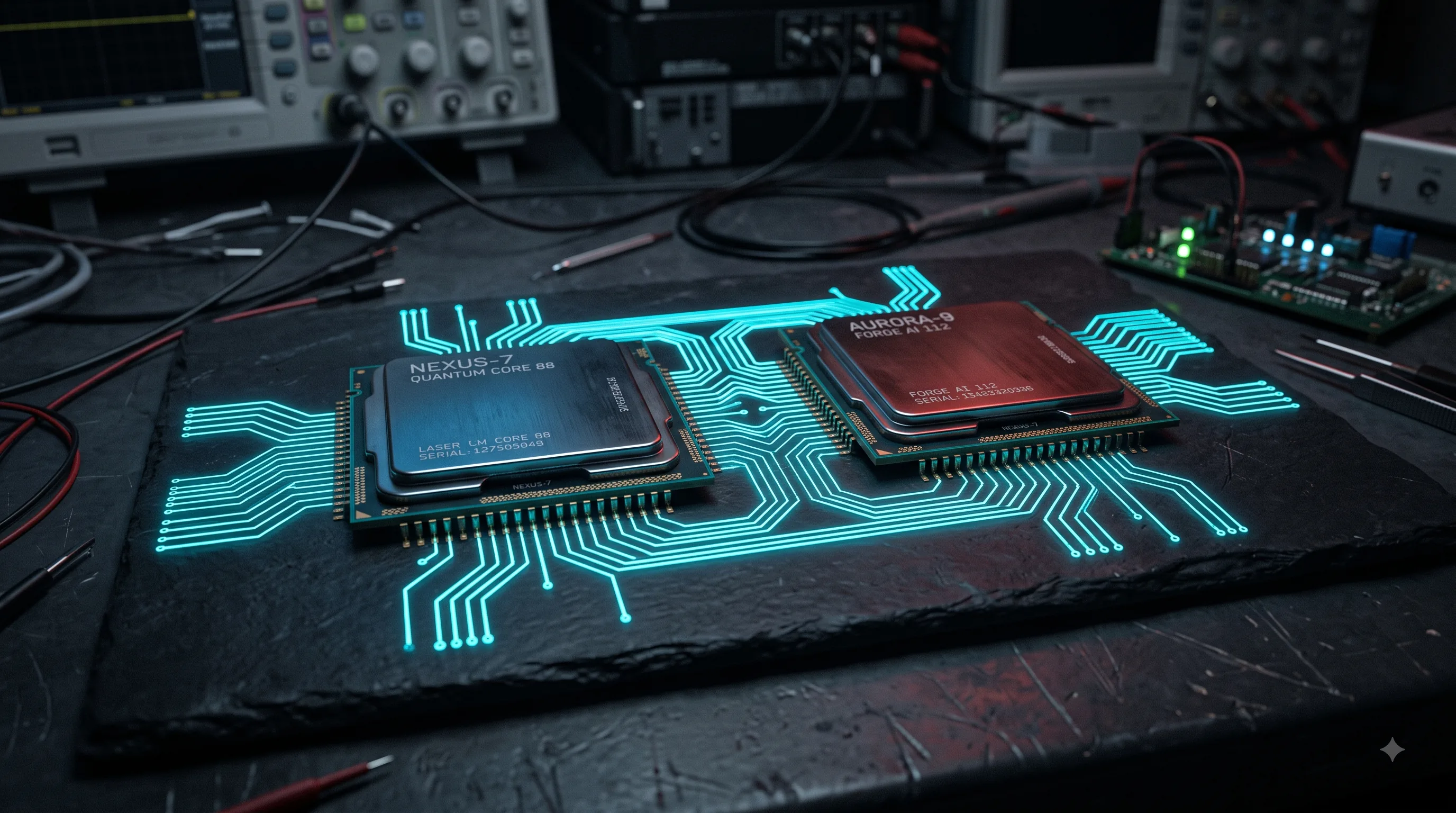
The short answer
Neither Intel Core Ultra nor AMD Ryzen AI is universally superior. The right choice depends on the exact processor, power limits, cooling, integrated graphics, neural processing unit (NPU), memory configuration, laptop chassis and workload.
The buying rule: compare the exact laptop and its power configuration, not just “Intel vs. AMD.”
At-a-glance comparison
This table is intentionally qualitative. CPU families span multiple generations and power classes, so a platform-wide benchmark number would be misleading.
| What matters | Intel Core Ultra | AMD Ryzen AI | Buyer takeaway |
|---|---|---|---|
| CPU architecture | Hybrid Core Ultra designs combine performance and efficiency-oriented cores; some designs add low-power E-cores and tiled architecture. | Ryzen AI combines Zen CPU cores with an integrated GPU and, on supported generations, an XDNA NPU. | Read the exact processor specification, not the family name. |
| CPU performance | Varied by generation, core configuration and laptop power limits. | Varied by Zen generation, core configuration and laptop power limits. | Use independent testing of the exact laptop for serious performance decisions. |
| Integrated graphics | Arc branding appears on several modern Core Ultra laptop iGPUs; capability varies by chip and memory configuration. | RDNA-based integrated graphics are used across Ryzen AI generations and can be strong for light gaming. | For iGPU gaming, compare the exact iGPU and memory bandwidth. |
| NPU / AI acceleration | Dedicated NPU on supported Core Ultra generations for compatible on-device AI workloads. | XDNA NPU on supported Ryzen AI generations for compatible on-device AI workloads. | Software support matters as much as the published accelerator figure. |
| Battery efficiency | Depends on architecture, display, power limits, firmware and chassis; low-power cores can help light workloads. | Depends on Zen generation, power configuration, display, firmware and chassis. | Look for laptop-level battery tests, not CPU-brand assumptions. |
| Gaming | Dedicated-GPU systems can perform very well; iGPU results depend heavily on the exact Arc implementation and memory. | Strong iGPU options exist; exact RDNA implementation and memory configuration decide the result. | With a dGPU, GPU TGP and cooling often dominate. |
| Creator workloads | Can benefit from CPU, media-engine and platform features depending on the model. | Can benefit from CPU, iGPU/media capabilities and platform features depending on the model. | Match the workload to the software and exact hardware. |
| Thermals | Power class and chassis determine sustained behavior. | Power class and chassis determine sustained behavior. | The same processor can behave differently in different laptops. |
| Upgradeability | Laptop-dependent; some thin designs use on-package or soldered memory. | Laptop-dependent; memory may be socketed or soldered. | Check the exact service manual/specification before purchase. |
| Best use cases | Broad range: thin-and-light through higher-power laptops, depending on generation and suffix. | Broad range: efficient thin-and-light systems through higher-power Ryzen AI designs. | Choose around your workload and chassis, not the logo. |
How Intel Core Ultra is built
Modern Core Ultra laptop processors use a hybrid design: different types of CPU cores are optimized for different power and performance targets. P-cores, or performance cores, are intended for demanding work where responsiveness and high per-thread performance matter. E-cores, or efficiency cores, handle additional parallel and background work with a different performance-per-watt target.
Some Core Ultra designs also include low-power E-cores. These are intended for very light activity so the system can avoid waking higher-power cores unnecessarily. Intel’s Thread Director helps the operating system make scheduling decisions about which work should run on which core type.
Core Ultra also uses a tiled/chiplet-style package in several generations, allowing different functional blocks — such as compute, graphics and I/O — to be integrated into one processor package. The exact tile arrangement changes by generation, so “Core Ultra” is not a single architecture.
Demanding foreground work and high responsiveness.
Parallel/background work and low-power activity.
Dedicated AI acceleration and integrated graphics on supported designs.
How AMD Ryzen AI is built
Ryzen AI is a family name used across multiple generations. At a high level, supported Ryzen AI processors combine Zen CPU cores, RDNA-based integrated graphics on relevant designs, and an XDNA NPU for supported local AI inference.
Zen is AMD’s CPU architecture family; RDNA is its modern graphics architecture family; and XDNA is the architecture used for AMD’s dedicated neural processing acceleration. The exact core count, GPU configuration, NPU capability and power class still have to be checked for the processor in front of you.
That distinction matters because “Ryzen AI” does not guarantee a particular performance level. A thin laptop with conservative power limits can behave very differently from a thicker system using a higher-power processor from the same broad family.
App feature
An application requests a supported AI inference task such as background blur or noise removal.
NPU
The neural processing unit executes supported inference efficiently, reducing the need to use CPU resources for that task.
Result
The benefit appears only when software actually supports the NPU and the workload maps well to it.
CPU brand ≠ laptop performance
This is the most important lesson in the entire comparison. Two laptops can use processors from the same family and produce very different sustained results.
CPU
Architecture and core count set the ceiling, but only within the power and thermal envelope.
Power + cooling
Firmware, sustained power limits, heatpipes, fans and chassis determine how long performance can be maintained.
Memory + GPU
RAM configuration, iGPU bandwidth and dedicated-GPU power can change the result dramatically.
- Sustained power limits
- Cooling and heatpipe capacity
- Chassis thickness and airflow
- Fan profiles and noise targets
- RAM capacity and channel configuration
- Firmware and BIOS tuning
- Thermal limits and skin-temperature targets
- Manufacturer performance modes
- Dedicated-GPU configuration and TGP
What Kuwait’s climate changes
Kuwait’s summer environment adds another variable to laptop performance. When ambient temperatures reach the mid-40s °C or higher, a laptop starts with less temperature headroom than it would in a cooler room. The cooling system still has to move the same workload heat into a warmer environment.
Fine desert dust is a separate long-term concern. Dust accumulation on fans, filters and heatsink fins can reduce airflow. Air-conditioning cycles can also move a device between very different ambient conditions. None of this means every laptop will overheat or fail; it means cooling design and maintenance deserve more attention in Kuwait, especially for sustained workloads.
Normal load
The cooling system removes heat while clocks remain within the intended operating envelope.
Sustained heat
Temperature, power and fan behavior converge on the laptop's thermal limits.
Thermal throttling
The processor reduces frequency and/or power to stay within safe limits. Performance becomes lower but more sustainable.
If a laptop repeatedly reaches its thermal limits, it may reduce clock frequency or power to remain within safe operating conditions. That is thermal throttling: a protective control mechanism, not proof that the processor itself is defective.
How to interpret laptop benchmarks
Single-core
Useful for responsiveness and workloads that cannot use many cores effectively.
Multi-core
Useful for parallel workloads such as compilation and some rendering, but laptop power limits still matter.
Burst performance
Shows short periods of high performance. It can overstate what a thin chassis can sustain.
Sustained performance
More representative of long exports, builds, renders and extended gaming sessions.
Thermal behavior
Look for clock/power changes over time, not only the first minute of a test.
Battery testing
Battery life must be tested on the complete laptop with its display, firmware, battery and software configuration.
Plugged-in testing
Plugged-in results can be materially different from battery-mode limits.
iGPU benchmarks
Memory bandwidth and RAM configuration can strongly affect integrated-graphics performance.
NPU benchmarks
NPU TOPS is not the same thing as application-level speed. Software support and workload mapping matter.
Which platform makes sense for your workload?
There is no honest one-line winner. Start with the workload, then eliminate laptops that fail the memory, cooling, GPU, battery or serviceability requirements for that workload.
Students
battery + RAMPrioritize 16GB or more where possible, a comfortable display and keyboard, battery efficiency, weight and local warranty. Either platform can be a good fit.
Office users
efficiencyA lower-power Core Ultra or Ryzen AI design can make sense. Spend more attention on battery life, fan noise, display quality and ports than on small CPU-brand differences.
Programmers
sustained CPUCompare sustained multi-core performance, RAM, SSD and cooling. Large projects and long builds expose weak thermal designs that short benchmark bursts can hide.
Developers
RAM + thermalsVirtual machines, containers and IDEs reward memory capacity and sustained performance. 32GB can be more valuable than moving between two similarly positioned CPU families.
Engineers / CAD
CPU + GPUIdentify whether your CAD workload is CPU-, GPU- or memory-limited. For professional 3D work, the dedicated GPU and its power configuration can outweigh CPU-brand differences.
3D creators
GPU + coolingPrioritize the dedicated GPU, VRAM, TGP and sustained cooling first, then compare CPU performance for simulation, baking and CPU-render workloads.
Video editors
media workflowCheck codec acceleration, RAM, SSD, display, CPU behavior under long exports and dedicated-GPU support. Do not choose from the CPU badge alone.
Photographers
display + RAMColor-accurate display, memory, SSD capacity and a reliable workflow matter more than small differences between comparable CPU platforms.
Gamers
GPU + TGPWith a dedicated GPU, compare the GPU model, TGP, cooling and display before the CPU family. For iGPU gaming, compare the exact iGPU and memory configuration.
Streamers
GPU + thermalsEncoding support, GPU capability, sustained cooling, network connectivity and RAM matter. Test the complete laptop rather than assuming the CPU name predicts stream quality.
AI users
software supportFirst identify whether your application uses CPU, GPU or NPU acceleration. Then compare the exact accelerator and supported software instead of buying on TOPS alone.
Travelers / thin-and-light
weight + batteryLook for efficient power classes, good idle behavior, a durable chassis and a battery that survives your real workload. Check RAM upgradeability before accepting an on-package-memory design.
Workstation buyers
sustained loadChoose around sustained CPU/GPU performance, cooling, serviceability, RAM capacity and warranty. A thicker chassis can be the better engineering choice for long workloads.
Exact-CPU comparison: what to record
For future KCROC comparisons, the useful unit of analysis is the exact processor inside the exact laptop. A reusable comparison record should include:
Practical laptop buying checklist
Laptop buying checklist
- Exact CPU model checked
- Power configuration / suffix checked
- RAM capacity checked
- RAM upgradeability checked
- SSD capacity and upgradeability checked
- Dedicated GPU and TGP checked, if present
- Cooling system and reviews checked
- Battery capacity and laptop-level battery tests checked
- Display, ports and keyboard checked
- Warranty and local support checked
- Kuwait availability checked
- Repairability and serviceability considered
Frequently asked questions
Is AMD Ryzen AI better than Intel Core Ultra?+
Neither is universally better. The exact processor, power configuration, cooling, memory, integrated graphics and workload matter more than the brand name.
Which is better for gaming?+
For integrated-graphics gaming, AMD Ryzen AI systems can be very competitive and often have an advantage depending on the generation and memory configuration. With a dedicated GPU, compare the GPU model, total graphics power (TGP), cooling and laptop configuration before choosing the CPU brand.
Does an NPU make a laptop faster?+
Not generally. A neural processing unit (NPU) is a dedicated accelerator for supported AI inference tasks. It can make compatible features such as background blur or noise removal more power-efficient, but it does not automatically speed up browsing, compiling or every video export.
What is the difference between Intel Core Ultra P-cores and E-cores?+
Performance cores (P-cores) are designed for demanding work where per-thread responsiveness matters. Efficiency cores (E-cores) handle additional parallel or background work with a different performance-per-watt target. Some Core Ultra designs also include low-power E-cores for very light background activity.
What is AMD XDNA?+
XDNA is AMD’s NPU architecture used for Ryzen AI processors. It is designed to accelerate supported on-device AI inference workloads separately from the CPU cores.
What are Intel V-series Core Ultra chips?+
Intel V-series processors are designed around very thin and efficient laptop designs and can use on-package memory. That can improve memory bandwidth and board-level integration, but memory is not user-upgradeable after purchase.
Is Ryzen AI better for programmers?+
There is no universal winner. For programming, prioritize the exact CPU model, sustained power, cooling, RAM capacity, SSD performance and display/keyboard quality. Long compilations are sustained workloads, so the laptop chassis matters.
Which is better for video editing?+
Compare the complete laptop. CPU performance, media-engine support, RAM, SSD, display, cooling and dedicated-GPU configuration can matter more than whether the processor says Intel or AMD.
Does Kuwait heat affect laptop performance?+
It can. High ambient temperatures reduce the cooling system’s temperature headroom, while dust can restrict airflow over time. A well-designed laptop can still operate normally, but sustained heavy workloads make cooling quality especially important in hot conditions.
Can I upgrade RAM on a Ryzen AI or Core Ultra laptop?+
It depends on the laptop, not simply the processor family. Some systems use socketed memory while others solder memory to the board. Check the exact laptop model before buying.
Should I compare NPU TOPS?+
Only as one data point. NPU TOPS figures are generation- and implementation-specific, and software support determines whether the theoretical accelerator performance becomes a useful real-world benefit.
What should I check before buying an Intel or AMD laptop in Kuwait?+
Check the exact CPU, power class, RAM capacity and upgradeability, SSD, GPU and TGP where applicable, cooling design, battery, display, warranty and local serviceability.
Continue the laptop research
Related KCROC resources
These pages cover the next practical questions after comparing processor platforms: what laptop to buy, how upgradeable the machine is, and what to do when a system is running hot or needs hardware repair.
Need a second opinion on a laptop?
KCROC can help diagnose whether a current laptop’s slowdown is related to RAM, storage, cooling or another hardware fault. We offer free pickup and delivery across Kuwait.
Editorial note: platform capabilities and naming change by generation. This article intentionally avoids universal benchmark claims and asks readers to verify the exact processor and laptop configuration before buying.